

TL;DR
If you searched for zendesk zopim chat pricing, the key thing to know is this: Zopim was the original live-chat product name, Zendesk acquired Zopim in 2014, and the product later became Zendesk Chat / Zendesk live chat and messaging inside Zendesk Suite. Many older help docs, invoices, browser bookmarks, and team habits still use “Zopim,” but new pricing is usually evaluated through Zendesk’s current per-agent plans.
For a small team that only needs a website or app contact layer, a shared inbox, Telegram/Email aggregation, and no message caps, Knocket is a lighter alternative: 100% free, no card, forever for the core contact experience. For teams that need Zendesk’s broader support suite, ticketing workflows, reporting, governance, and large support operations, Zendesk may still be the better fit.
Pricing references in this article were checked against public Zendesk pages on September 28, 2026. Always re-check the official pricing page before purchase because SaaS pricing and plan packaging can change.
What Is Zopim? How Is It Related to Zendesk Chat?
Zopim was a live chat software company and product name. Zendesk announced its acquisition of Zopim in 2014, describing Zopim as a live chat provider that would expand Zendesk’s real-time customer engagement capabilities. The official announcement is still the clearest source for the relationship: Zendesk acquired Zopim Technologies.
In practical search terms:
| Old name users search | Current product context |
|---|---|
| Zopim | Original live chat product/company name |
| Zopim Chat | Legacy name many users still remember |
| Zendesk Chat | Later Zendesk-branded chat product |
| Zendesk live chat / messaging | Current buying context, typically inside Zendesk Suite |
This matters because “Zopim pricing” is not a separate modern pricing page in the way a new buyer might expect. If you are buying today, you normally evaluate Zendesk’s current plan structure, especially Zendesk Suite plans that include live chat and messaging capabilities.
Zendesk’s own support documentation also confirms that current Chat plans are mapped into Suite plan levels. Its article on Zendesk Chat plan types says current Chat plans include Team, Professional, and Enterprise, with Team included in Suite Team and Suite Growth, Professional included in Suite Professional, and Enterprise included in Suite Enterprise plans.
Why Many Long-Time Users Still Search for Zopim Chat Pricing
There are three common reasons “Zopim Chat pricing” still appears in search behavior.
First, older teams may have installed the widget years ago when the product was still called Zopim. Their website code, internal runbooks, and screenshots may still say Zopim even though the admin and billing experience now points to Zendesk.
Second, legacy plans created real vocabulary debt. Zendesk’s support article notes that some legacy Chat plans were available before August 2, 2017, and that the Chat Lite legacy plan is no longer offered as of February 1, 2021. A founder or ops lead trying to understand an old invoice may naturally search the old name.
Third, “Zopim” is shorter and more specific than “Zendesk live chat and messaging inside Suite.” People often search the name they remember, not the name currently used by procurement pages.
The result: old users may be looking for one of three things:
- The history of what happened to Zopim.
- The current Zendesk price for live chat.
- A simpler or lower-cost alternative for a small website or app.
Product and Billing Changes Zopim Users May Encounter Today
If your team started on Zopim or an older Zendesk Chat account, expect a few practical changes before you compare costs.
The first is plan naming. You may see references to legacy Chat plans, Chat-only agents, or Suite seats. Zendesk’s Chat plan documentation specifically warns that if you had a Chat account before purchasing Suite, your Chat-only agents may need to be updated.
The second is packaging. A small team may remember chat as a standalone widget. Current buyers are often routed toward broader Zendesk Suite plans that combine multiple support channels and admin features. That can be valuable, but it changes how the cost scales.
The third is per-agent billing. Zendesk pricing is commonly shown per agent per month. If three people need to reply from the support tool, you should model three paid agents, not just one website widget.
The fourth is legacy-plan uncertainty. If you are still on an old plan, do not assume a public pricing table exactly describes your current contract. Check Admin Center billing, your renewal terms, and Zendesk’s official plan documentation.
Zendesk Current Pricing Structure: Seats, Plans, and Per-Agent Cost
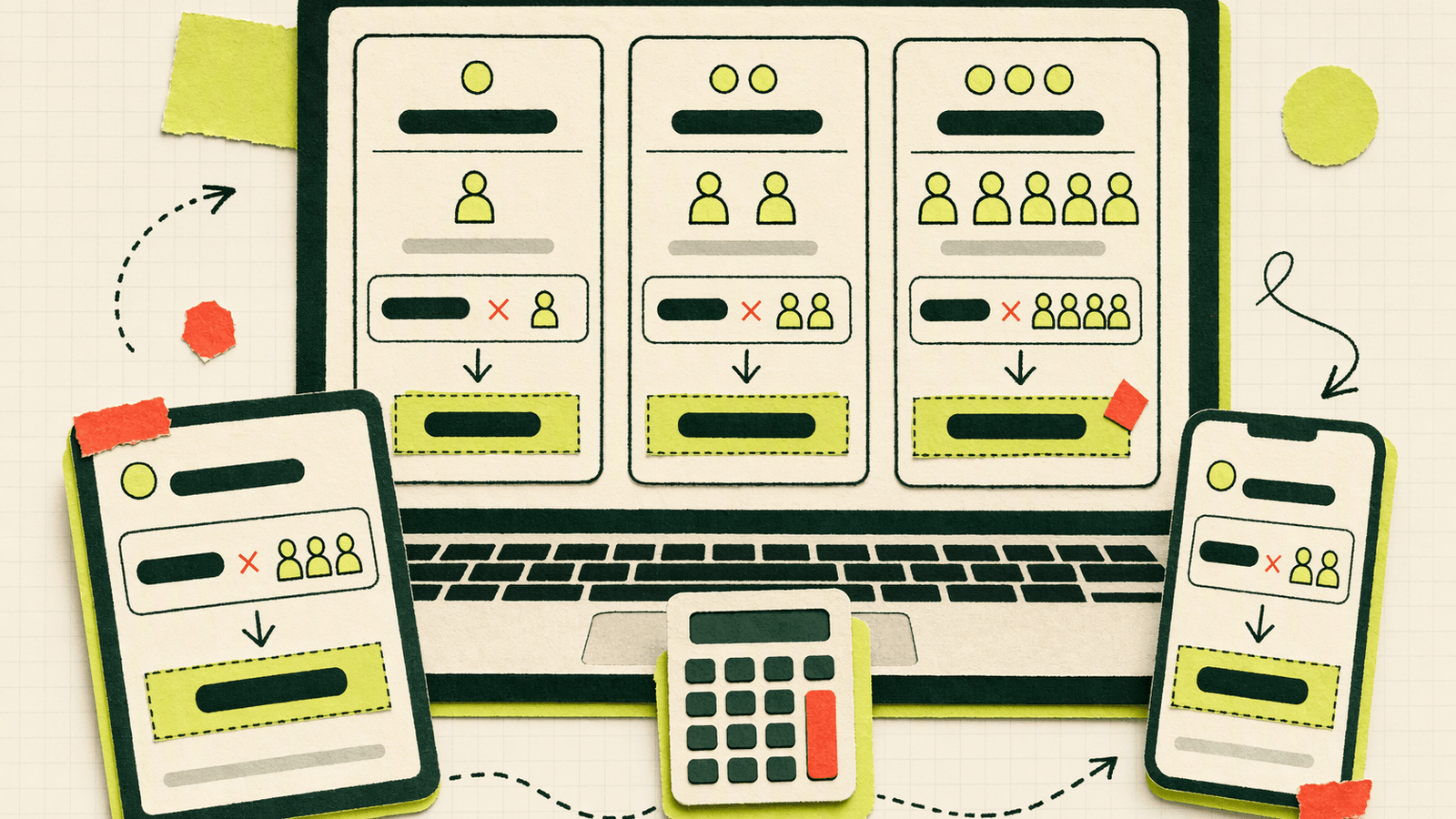
Zendesk’s public pricing page, checked on September 28, 2026, presents multiple product families. For this article, the relevant public anchor points are:
| Zendesk plan family | Public starting point checked | Pricing model | Notes for chat buyers |
|---|---|---|---|
| Support Team | From $19 per agent/month, billed annually | Per agent | Lower-cost support/ticketing entry point; do not assume it is equivalent to full live chat/messaging packaging |
| Suite Team | $55 per agent/month, billed annually | Per agent | Common entry point for teams evaluating Suite with live chat/messaging context |
| Suite Growth | $89 per agent/month, billed annually | Per agent | Higher Suite tier with more packaged support capabilities |
| Suite Professional | $115 per agent/month, billed annually | Per agent | More advanced Suite tier |
| Suite Enterprise / Enterprise + Copilot | Custom or sales-led pricing | Per agent / contract | For larger organizations with advanced requirements |
Source: Zendesk Pricing Plans, checked September 28, 2026.
The biggest buying mistake is comparing “one chat widget” against “one agent.” A website chat tool may feel like a single feature, but Zendesk costs scale with the number of agents who need access. That per-agent structure is normal for helpdesk suites, but it matters a lot for small teams.
Zendesk Chat / Messaging Cost Examples: 1, 3, and 10 Agents
The table below uses Zendesk Suite public annual-billing prices checked on September 28, 2026. It is a simple seat calculation, not a quote. Taxes, discounts, monthly billing differences, add-ons, currency differences, and contract terms may change the final bill.
| Team size | Suite Team at $55/agent/month | Suite Growth at $89/agent/month | Suite Professional at $115/agent/month |
|---|---|---|---|
| 1 agent | $55/month, $660/year | $89/month, $1,068/year | $115/month, $1,380/year |
| 3 agents | $165/month, $1,980/year | $267/month, $3,204/year | $345/month, $4,140/year |
| 10 agents | $550/month, $6,600/year | $890/month, $10,680/year | $1,150/month, $13,800/year |
For a solo founder, $55/month may be acceptable if Zendesk’s broader suite replaces multiple tools. For a 10-person support team, the same starting tier becomes a material annual line item. That does not make Zendesk expensive in the abstract; it means you should match the plan to the operating model.
If your actual requirement is “let visitors message us from the website and route those messages to one calm inbox,” a full suite may be more than you need. If your requirement is “support many agents with established workflows and reporting,” the per-agent spend may be justified.
How to Cite Zendesk Public Prices Correctly
When publishing a pricing comparison, cite Zendesk prices with four details:
- Source URL: link the official page, such as Zendesk Pricing Plans.
- Checked date: pricing in this article was checked on September 28, 2026.
- Currency: the examples above use USD.
- Billing basis: the examples use annual-billing per-agent monthly prices.
A clean citation looks like this:
“Zendesk Suite Team was listed at $55 per agent/month, billed annually, on Zendesk’s public pricing page, checked September 28, 2026.”
For legacy Chat details, cite Zendesk’s own help article on Chat plan types and legacy Chat plans. That page is especially useful when explaining why older Zopim or Zendesk Chat customers may see different naming than new buyers.
What Is Knocket: A Free Contact Layer for Makers
Knocket is a lightweight customer contact platform for indie developers, early-stage founders, creators, service providers, and small teams. Its positioning is simple: “One Knock. Every Connection.” It gives visitors a way to contact you from a website, mobile app, or shareable page, while you reply from one unified inbox.
Knocket’s core contact experience is 100% free, no card, forever, with no message caps in the supplied product facts. It is powered by Tencent RTC infrastructure, but it is not a generic RTC SDK integration and should be evaluated as Knocket’s own contact product.
Relevant Knocket entry points:
- Web Widget for websites.
- Mobile Widget for iOS, Android, React Native, and Flutter apps through a WebView approach.
- Contact Page at a shareable
knocket.io/your-handlestyle personal page. - Telegram and Email aggregation into one inbox.
- Offline forms that capture email with conversation context.
Useful Knocket setup links:
- Open the Knocket Inbox
- Install the Knocket Web Widget
- Use the mobile H5 Inbox
- Manage a Knocket Contact Page
- Install the Knocket WordPress live chat plugin
A typical website install uses one script copied from the console:
<script src="https://trtc.io/knocket-sdk/sdk.js?identifier=YOUR_IDENTIFIER" async></script>
Copy the actual identifier from the Knocket console rather than hand-building the URL.
Zendesk Chat vs Knocket: Price, Seats, Free Usage, and Fit
| Dimension | Zendesk Chat / Messaging context | Knocket |
|---|---|---|
| Price model | Public Suite examples are per agent/month; Suite Team listed at $55/agent/month billed annually, checked September 28, 2026 | 100% free, no card, forever for the core contact experience |
| Seat cost | Scales with paid agents | No per-agent price stated in supplied Knocket facts |
| Free usage | Legacy free Chat Lite is no longer offered according to Zendesk help docs | No message caps in supplied Knocket facts |
| Visitor account | Customer-facing support flow depends on Zendesk setup | Visitors do not need to register; only the owner needs an account |
| Website install | Zendesk widget / messaging setup inside Zendesk environment | One script for HTML, Shopify, React, WordPress, and similar sites |
| Mobile app contact | Available through Zendesk product setup and SDK/product configuration | Mobile Widget supports iOS, Android, React Native, and Flutter through WebView |
| External channel aggregation | Zendesk supports broad suite workflows depending on plan | Web Widget, Mobile Widget, Telegram, and Email feed one unified inbox |
| Telegram reply | Depends on Zendesk integrations and setup | Telegram setup takes about 30 seconds in the supplied facts; quote replies can return to the visitor screen |
| Best fit | Teams needing a broader support suite, structured operations, reporting, and governance | Makers and small teams needing a free contact layer without a full helpdesk rollout |
| Main tradeoff | Per-agent cost and suite complexity | Not positioned as an enterprise CRM, ticketing system, or full support suite replacement |
This is not a “Zendesk is bad, Knocket is good” comparison. Zendesk is a mature customer-service suite. Knocket is deliberately lighter: a free contact layer for teams that mainly need visitors to reach them and messages to land in one place.
Knocket Use Cases: Web Widget, Mobile Widget, Telegram, and Email Inbox
Knocket works best when the job is “make it easy for people to contact us” rather than “operate a large support department.”
For a website, the Web Widget adds a live contact entry to WordPress, Shopify, React, plain HTML, and other sites that allow custom scripts. After installation, conversations flow into a unified inbox.
For a mobile app, the Mobile Widget loads a Knocket contact page through WebView. It supports iOS, Android, React Native, and Flutter. This is useful for feedback, support, or “contact us” flows inside an app without building a full native messaging backend.
For Telegram, Knocket can route messages so the owner can reply from Telegram. In Full and quote reply mode, quoting a visitor message in Telegram sends the reply back to the visitor screen. This requires configuration, and high-volume forwarding may be affected by Telegram limits, so it should not be treated as a guaranteed delivery SLA.
For Email, messages can also be aggregated into the same inbox. Keep the distinction clear: Email ingestion means Email can be a source into the inbox; it is not the same claim as email notification support.
For a no-website use case, a Knocket Contact Page gives you a public personal/contact page that can be placed in an X bio, GitHub README, email signature, or QR code on a business card. Visitors can contact you without registering.
What It Costs to Migrate from Zendesk to a Free Option
Moving from Zendesk to a free contact layer has real costs even if the new tool is free.
The first cost is historical context. Zendesk may contain previous conversations, customer details, tags, macros, assignments, and reporting history. If your team relies on those records, export and retention planning matter.
The second cost is workflow loss. Zendesk can support structured support operations. If your team depends on ticket lifecycle rules, internal escalation, SLA reporting, advanced routing, or multi-team governance, do not assume a lightweight contact tool replaces those workflows.
The third cost is retraining. Agents may be used to Zendesk views, shortcuts, macros, and internal notes. A simpler inbox is easier to adopt, but it still changes daily behavior.
The fourth cost is technical replacement. You need to remove or disable the old widget, add the new script, test page performance, confirm mobile behavior, and verify that offline forms capture the right email context.
The fifth cost is notification design. If your previous Zendesk workflow notified a queue, manager, or shared mailbox, recreate the minimum viable notification flow before switching.
In short: the dollar price can go to zero, but the migration effort is not zero.
Who Should Stay on Zendesk, and Who Can Consider Knocket

Stay on Zendesk if you need a support suite rather than only a contact layer. Good reasons include multiple support teams, formal ticket queues, reporting requirements, manager workflows, role governance, escalation rules, or a procurement-approved customer-service platform.
Consider Knocket if your current need is narrower:
- You want a free website chat/contact widget.
- You are a solo maker or small team watching per-agent costs.
- You want Telegram and Email messages in one inbox.
- You need a Contact Page before you have a full website.
- You want app users to contact you through a WebView-based Mobile Widget.
- You do not need Zendesk-style enterprise support operations.
If you are comparing other paid tools such as Freshworks or Tidio, use their official pricing pages before deciding: Freshworks pricing and Tidio pricing. Pricing and feature gates change often, so avoid choosing based on old screenshots.
Migration Checklist: History, Team Flow, Code, Notifications, and Forms
Use this checklist before moving from Zendesk Chat or an old Zopim setup to Knocket or any free tool.
| Area | What to check |
|---|---|
| Historical conversations | Export or archive the Zendesk conversations your team may need later |
| Customer identifiers | Decide whether names, emails, tags, or IDs need to be preserved |
| Team workflow | List which Zendesk workflows you actually use weekly |
| Widget code | Find every page where the old Zopim/Zendesk script is installed |
| New install | Add the Knocket script from Knocket installation settings |
| Offline form | Configure email capture so missed visitors can be followed up |
| Telegram | Connect Telegram and test quote replies before removing the old widget |
| Confirm which Email messages should enter the unified inbox | |
| Mobile app | If relevant, test Mobile Widget WebView behavior before app release |
| Rollback | Keep a short rollback plan in case the new workflow misses a critical use case |
A practical migration pattern is to run both tools briefly on a staging page, test real messages from desktop and mobile, then switch production pages one by one.
FAQ
Is Zopim the same as Zendesk Chat?
Zopim was the original live chat product and company name. Zendesk acquired Zopim in 2014, and the product later became known as Zendesk Chat and then part of Zendesk’s live chat/messaging context.
What is Zopim called now?
New buyers usually encounter the product through Zendesk Chat, Zendesk live chat, messaging, or Zendesk Suite plan language. Old accounts, docs, or invoices may still mention Zopim or legacy Chat plans.
How much does Zendesk Chat cost?
Zendesk’s public Suite pricing checked on September 28, 2026 listed Suite Team at $55 per agent/month, Suite Growth at $89 per agent/month, and Suite Professional at $115 per agent/month, billed annually. Check Zendesk’s official pricing page before buying.
Does Zendesk still offer the old free Chat Lite plan?
Zendesk’s Chat plan documentation says the Chat Lite plan is no longer offered as of February 1, 2021 and is considered a legacy plan.
Why does Zendesk pricing scale quickly for small teams?
Because the public Suite prices are per agent. A $55 per-agent monthly plan becomes $165/month for three agents and $550/month for ten agents before taxes, discounts, add-ons, or contract changes.
Is Knocket a full Zendesk replacement?
No. Knocket is a lightweight contact layer, not an enterprise CRM or full helpdesk suite. It can cover website, mobile, Telegram, Email, and Contact Page conversations for small teams, but Zendesk may be better for structured support operations.
Is Knocket free?
Yes. The supplied Knocket facts state 100% free, no card, forever for the core contact experience, with no message caps. Visitors do not need to register; the owner needs an account.
Can I move from Zendesk to Knocket in one day?
A simple website widget swap can be quick, but a real migration needs checks: historical conversations, old widget locations, offline forms, notification channels, team workflow, and rollback planning.
If your team mainly needs a free way for visitors to reach you from web, mobile, Telegram, Email, or a shareable page, try Knocket at https://knocket.ai/.