◈ WEB WIDGET

Turn every visit
into a conversation.

Paste one <script> line into your site. Get a chat bubble that opens a real conversation — with you, on your phone, wherever you are. Works with WordPress, Shopify, Webflow, Next.js, Astro, HTML — anything the browser runs.

Knocket Web Widget — live chat on any website
⚡ 1-line install
◈ Any stack
◐ Custom theme
✦ No backend
Web Widget. One line install. Any stack. Live chat. Forever free. Web Widget. One line install. Any stack. Live chat. Forever free.
◈ THE INSTALL

One line. Any site.

Copy the tag from your console. Paste it before </body> on any page. Refresh. You're live — a chat bubble appears in the corner, wired to your Knocket inbox and your Telegram.

Your snippet carries a unique identifier — grab it from the Installation page in the console. Style it there too — colors, welcome text, online-status design, offline form fields — no redeploy needed.

<!-- Paste before </body> --> <script src="https://trtc.io/knocket-sdk/sdk.js"
?identifier=YOUR_IDENTIFIER
async></script>

// That's it. You're live.
◈ MADE FOR YOUR SITE

Every kind of website
needs a way to chat.

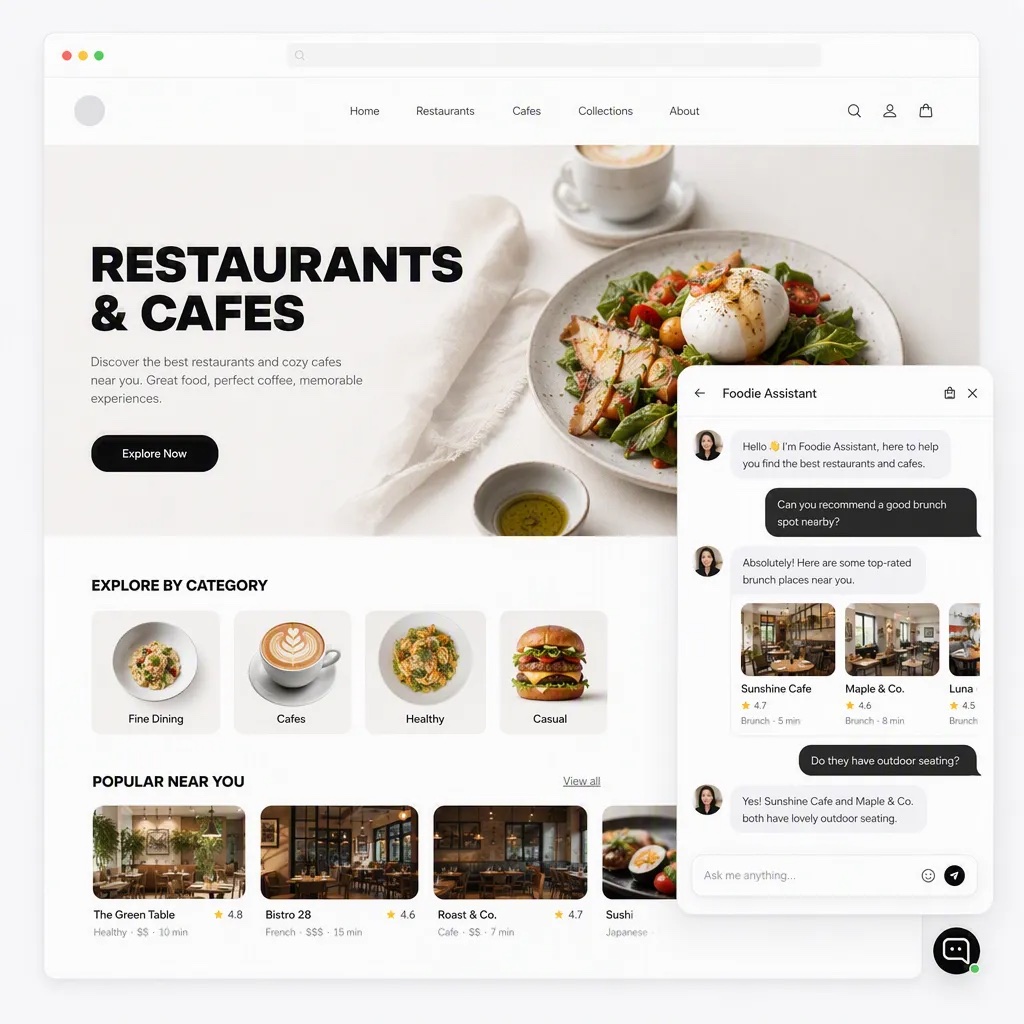
From restaurants and real estate to healthcare and more, visitors can reach you right on your site.

Live chat widget on a restaurant discovery website
01 / DININGHelp guests find their next favorite place.
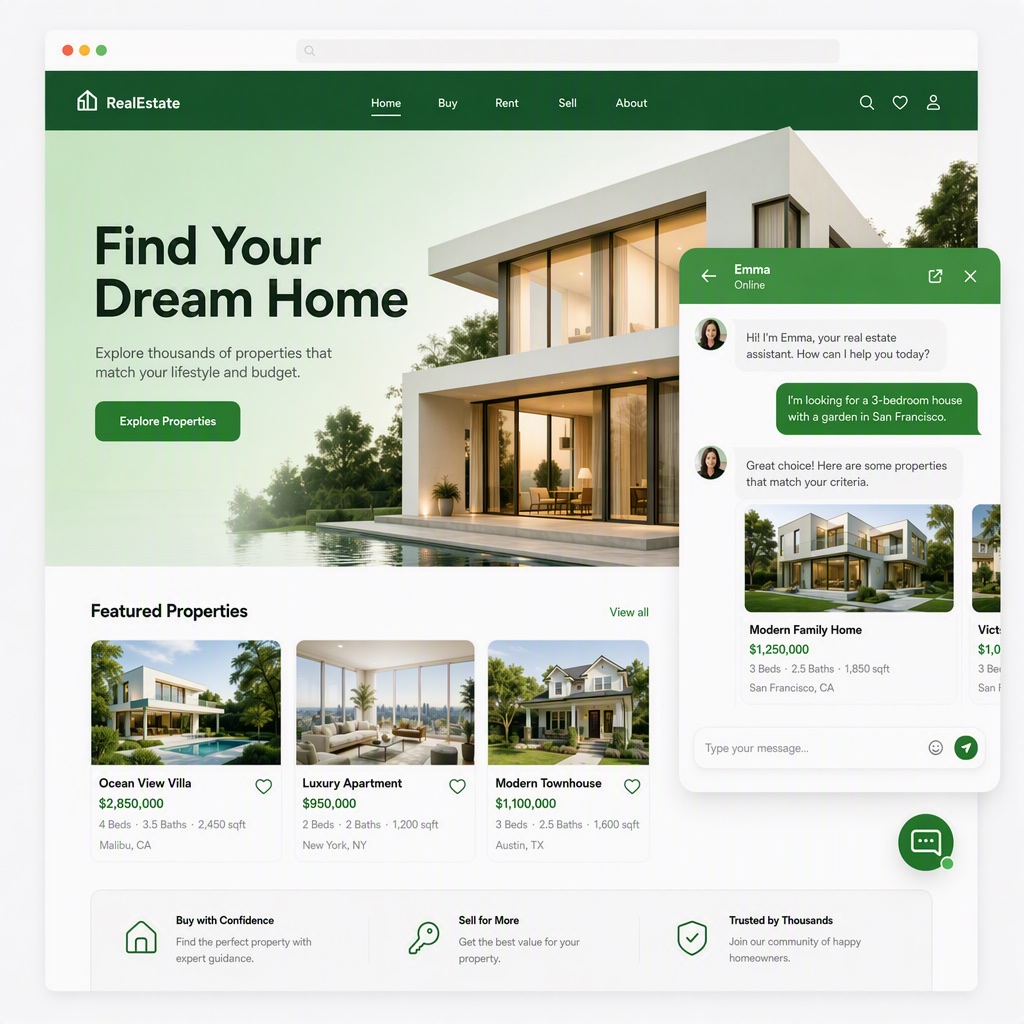
Live chat widget on a real estate website
02 / REAL ESTATEAnswer questions while the perfect home is in view.
Live chat widget on a healthcare website
03 / HEALTHCAREBe there when visitors need guidance.
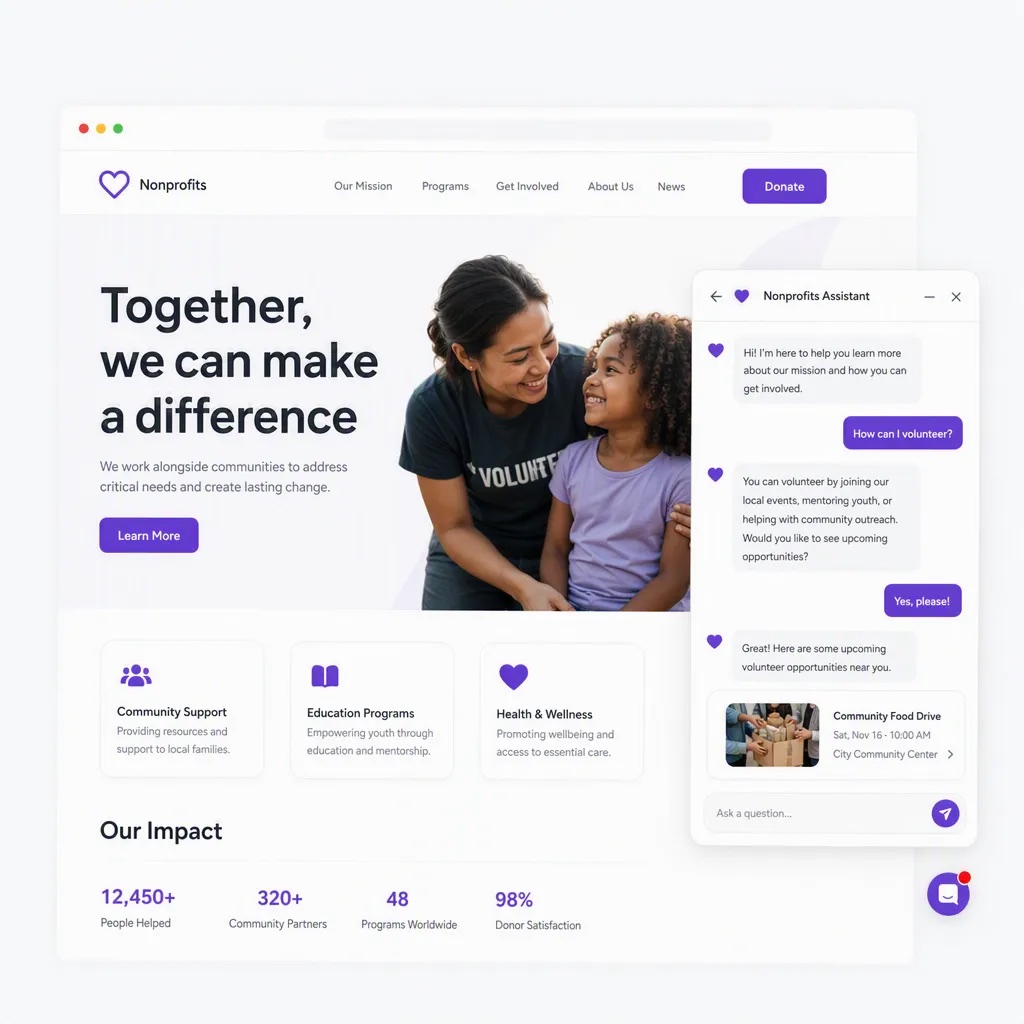
Live chat widget on a nonprofit website
04 / NONPROFITSTurn interest into a real conversation.
Live chat widget on a coaching website
05 / COACHINGMake every enquiry more personal.
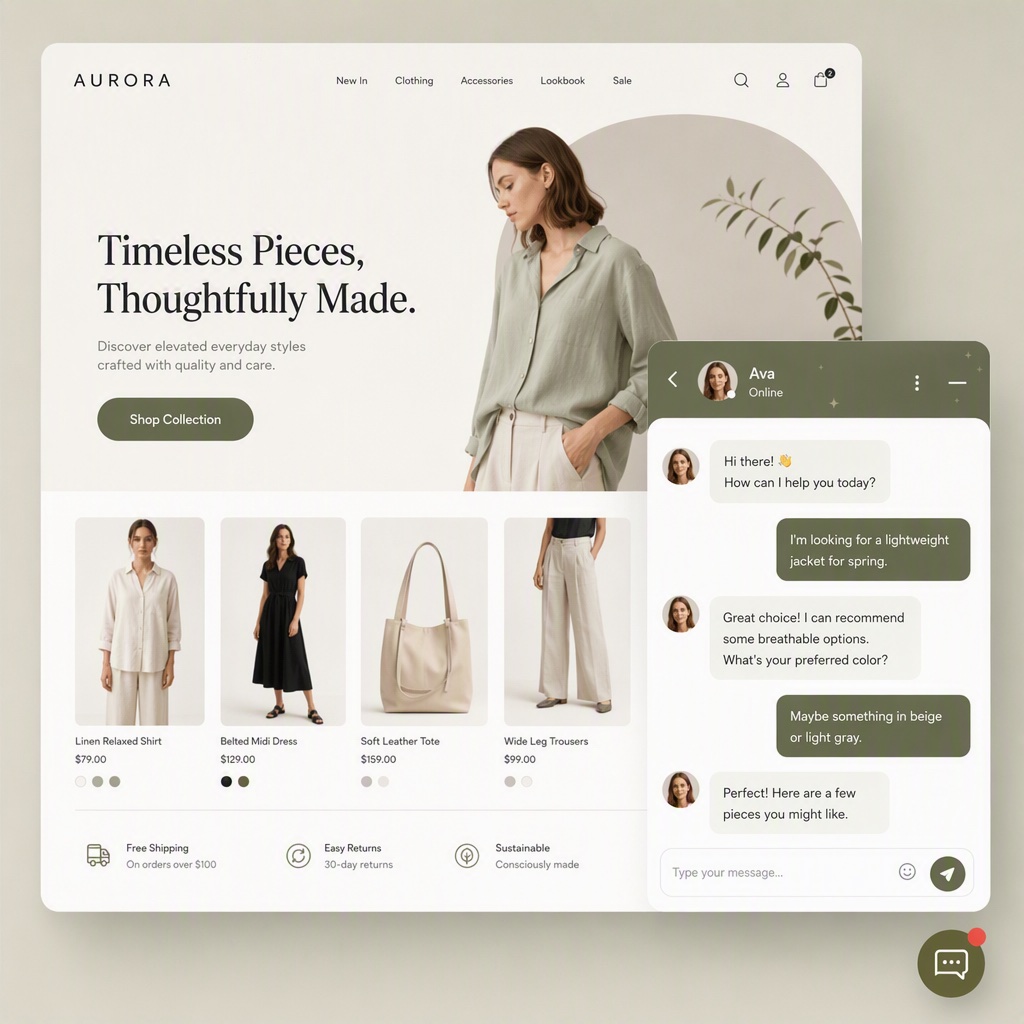
Live chat widget on a fashion store
06 / FASHIONHelp shoppers find the right piece.
◈ WIDGET FEATURES

Small on screen.
Loaded under the hood.

Everything visitors expect from a modern chat widget — without the enterprise pricing.

Custom theme & welcome

Match your brand — colors, radius, welcome text. No redeploy.

Reply from Telegram

Every message pings Telegram in under a second. Quote-reply from phone.

Images, videos, files

Screenshots, videos, docs — synced with the Telegram side.

Online status & offline form

Online: pulsing dot. Offline: lead form collects email + message.

Custom user tags

Pass user_id, email, tags — same user across pages and devices.

Read receipts + recall

Two-way read receipts. Recall mistyped messages either side.

◈ ONE PLACE TO REPLY

Every message lands in one inbox.

Visitors can message you through the widget on your website or the chat on your Contact Page. Both conversations appear together in your Knocket inbox.

Your websiteWeb Widget
Your Contact PageBuilt-in chat
Knocket InboxRead and reply to every message here
◈ WORKS EVERYWHERE

Any stack.
Any CMS.

If the browser runs it, the widget works. One tag, everywhere.

WordPress plugin or theme
✓ SUPPORTED
Shopify theme.liquid
✓ SUPPORTED
Webflow project settings
✓ SUPPORTED
Next.js _document.tsx
✓ SUPPORTED
Astro layout.astro
✓ SUPPORTED
React useEffect load
✓ SUPPORTED
Vue / Nuxt app.vue
✓ SUPPORTED
Wix custom code embed
✓ SUPPORTED
Squarespace code injection
✓ SUPPORTED
Plain HTML </body>
✓ SUPPORTED
? WIDGET FAQS

Frequently asked questions

How does install work?

Paste one <script> tag before </body> on any page. The widget loads async, appears as a chat bubble in the corner. Copy the tag from the Installation page in your console — it already carries the identifier that points at your Knocket account.

Do visitors need to sign up to chat?

No sign-up. They tap the bubble and start typing. When you're offline, an email/phone form appears instead — same thread continues when you're back.

What can I customize?

From the Knocket console: colors, welcome message, online-status style, offline form fields. Changes apply live — no redeploy.

Can users send images or files?

Yes. Images, videos, and files — everything comes through as attachments in your inbox and Telegram.

Read receipts and message recall?

Two-way read receipts — you see when the visitor read your reply. Message recall works both ways — mistyped a reply? Recall it before they read it.

Can I identify visitors in my inbox?

Yes. Pass a data-user-id attribute on the script tag, or set it after login. Every message ties to that identity across sessions.
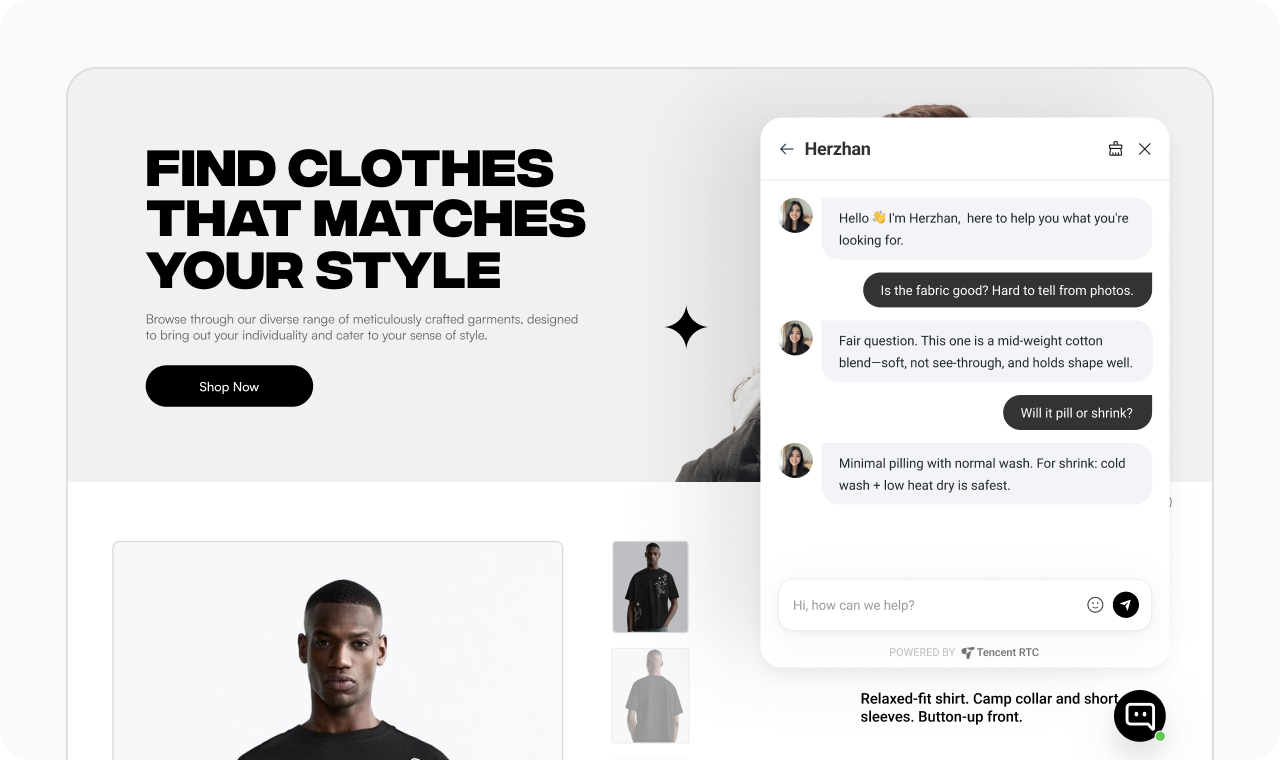
◈ ADD LIVE CHAT · 60S

One line.
Any site.
Get started now.

Grab your handle, get your widget snippet in the console.

Zacznij za darmo

60 seconds · No card · No tricks