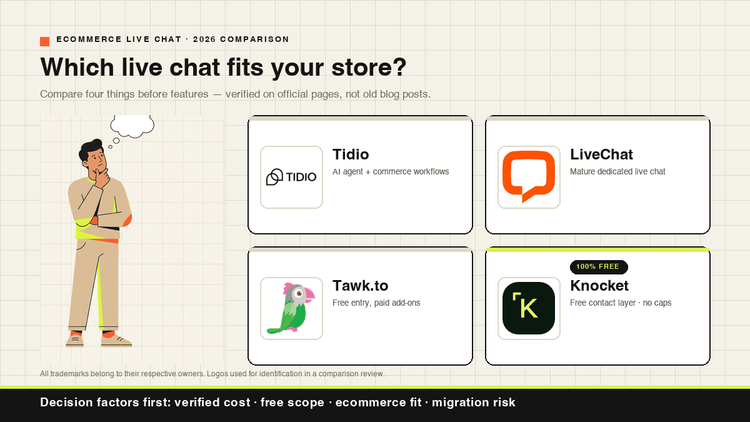

TL;DR: the best free live chat tool depends less on the chat bubble and more on three limits: message caps, operator seats, and whether the free widget shows vendor branding. If you want a lightweight contact layer with No message caps, start with Knocket. If you need CRM, ticketing, or a larger support suite, compare HubSpot, Zoho, Freshchat, LiveAgent, and Intercom carefully before committing.
Research note: this comparison was prepared on September 28, 2026 using official product and pricing pages where available, plus public product descriptions from the vendors listed. Free-plan limits change often, so re-check each vendor’s pricing page before publication or purchase.
Free Plan Comparison Table: Message Limits, Seats, Branding, and Best Fit
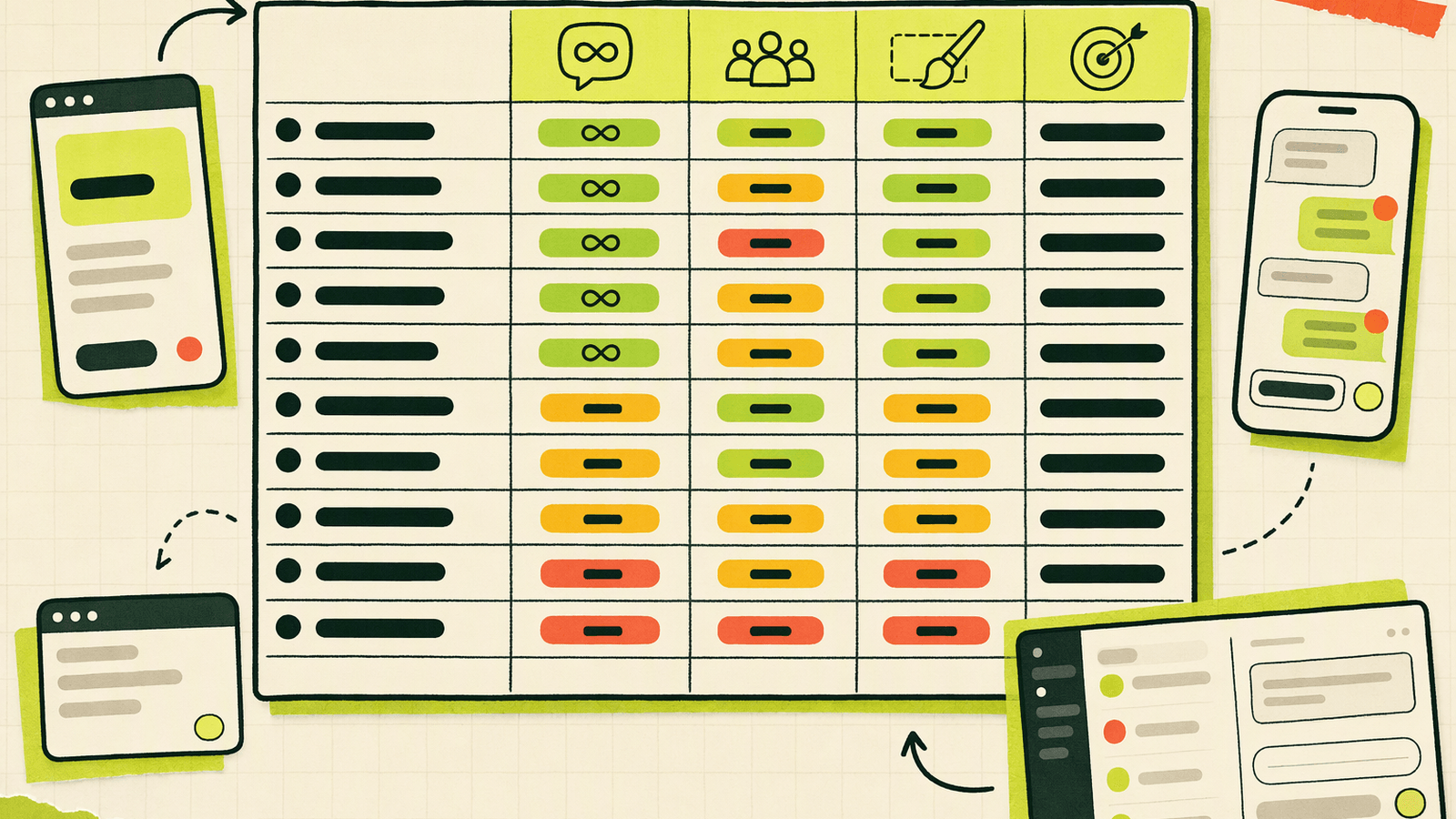
| Tool | Free message / conversation cap | Free seats / operators | Branding on free version | Best fit |
|---|---|---|---|---|
| Knocket | No message caps | Visitors do not need accounts; owner needs an account | Check current widget/page footer before publishing | Makers, creators, small teams needing web, mobile, link, Telegram, and email in one inbox |
| Tawk.to | Commonly positioned as free live chat without chat caps; verify current policy | Commonly offers multiple/unlimited agents; verify | Yes; removal is typically paid | Teams wanting free chat with optional paid services |
| HubSpot Live Chat | No simple public “message cap” framing; CRM/product limits apply | Depends on HubSpot free-seat rules | Yes, HubSpot branding on free tools is common | Teams that want chat tied to CRM records |
| Crisp Free | Free tier is limited; commonly 2 seats and shorter history | Commonly 2 | Usually vendor branding / free-tier limits | Very small teams needing simple site chat |
| Tidio Free | Usage-limited; check current monthly conversation quota | Plan-dependent | Usually branded on free tier | Small sites testing chat volume |
| Brevo Conversations Free | Free tier available; verify conversation/history limits | Commonly 1 user on free entry tier | Check current plan | Email-first teams already using Brevo |
| Zoho SalesIQ Free | Usage-limited; often visitor/chat limits apply | Commonly small operator allowance | Check current plan | Zoho ecosystem users |
| LiveAgent Free | Free tier available with help desk limits | Commonly 1 agent | Check current plan | Solo support desk with ticketing basics |
| Freshchat Free | Free / trial availability varies by region and package | Plan-dependent | Check current plan | Early teams evaluating Freshworks support |
| Intercom | Usually trial or starter pricing, not a permanent broad free plan | Paid-seat model after trial | Intercom branding/trial rules vary | Teams ready for premium customer messaging |
| Chaport Free | Often unlimited chats with free-tier feature limits | Commonly 1 operator | Check current plan | Solo operator needing basic chat |
| Smartsupp Free | Usage-limited; commonly conversation/history limits apply | Commonly 1 agent | Usually branded on free tier | Small websites needing visitor context |
Useful Knocket setup links: install the Web Widget, open the unified Inbox, use the mobile H5 Inbox, manage a Contact Page, and install the WordPress widget plugin.
How We Evaluated Free Live Chat Software for 2026
For this list, “free” means usable without immediately buying a paid support suite. That is different from “unlimited.” A free customer support chat tool can still be constrained by monthly conversations, stored history, operator seats, removable branding, automation, integrations, or CRM features.
The scoring criteria:
- Message or conversation cap: the most important number for small websites. A 50-conversation cap can disappear fast after a launch.
- Seat model: solo founders can tolerate one operator; growing teams need to know when per-seat pricing starts.
- Branding: some tools keep a vendor badge on the free widget.
- Entry points: website widget only, or also mobile app, shareable page, Telegram, and email.
- Inbox workflow: whether replies happen in one place or across tabs.
- Upgrade trigger: the exact moment when “free” stops being enough.
For broader context, customer communication keeps moving toward faster, lower-friction digital channels. See Salesforce’s State of the Connected Customer, Grand View Research’s live chat software market overview, and HubSpot’s public live chat product page for examples of how vendors position chat, CRM context, and routing.
Knocket: 100% Free Live Chat With No Message Caps
Knocket is a lightweight contact layer for makers who ship: One Knock. Every Connection. Its core contact experience is 100% free · no card · forever, with No message caps. You can add the Web Widget with one async script, use it on WordPress, Shopify, React, or plain HTML, and collect messages in a unified Inbox.
Knocket also supports a Contact Page at knocket.io/your-handle for an X bio, GitHub README, email signature, or QR code, plus a Mobile Widget for iOS, Android, React Native, and Flutter via WebView. Web Widget, Mobile Widget, Telegram, and Email flow into one shared conversation history. Telegram setup takes about 30 seconds; with quote reply configured, replies can return to the visitor’s screen. Offline forms capture email with context. Powered by Tencent RTC.
Official start point: try Knocket.
Tawk.to: Free Live Chat With Optional Paid Add-ons
Tawk.to is one of the most recognized free live chat tools, especially for teams that want a website widget without buying a support platform upfront. Its public positioning emphasizes free live chat, a shared inbox, CRM-style customer context, automations, knowledge base, and optional paid services such as removing branding or hiring chat agents.
The free version is attractive when you want a mature widget and can accept Tawk.to branding. You should expect to pay when you need branding removal, managed agents, or specific advanced capabilities. Before choosing it for a high-volume site, verify the current official policy on agent count, message history, AI or automation availability, and add-on pricing.
Official source: Tawk.to.
HubSpot Free Live Chat: CRM-Connected Chat for Growing Teams
HubSpot’s free live chat is strongest when chat should become a CRM record. Conversations can connect to HubSpot’s free CRM, helping sales or support teams see contact context, notes, follow-ups, and tickets. HubSpot also highlights chatflows, targeted welcome messages, Slack notifications, mobile replies, office hours, and email capture on its product page.
The tradeoff is suite gravity. HubSpot is useful if you want CRM, forms, email, and support workflows together. It may be more than you need if you only want a small free website chat widget. You will likely pay when you need advanced automation, deeper reporting, higher-tier CRM features, or more scalable team operations.
Official source: HubSpot Live Chat.
Crisp Free Plan: Simple Website Chat for Very Small Teams
Crisp is a polished customer messaging product with a free entry tier often used by tiny teams that need a clean website chat box. The free tier is typically positioned around basic live chat for very small teams, with limits such as a small seat count and shorter history compared with paid plans.
Crisp makes sense when you want a simple, modern chat experience and do not yet need advanced routing, long-term history, campaigns, or a broader support suite. You should expect to upgrade when your team grows, when conversation history becomes operationally important, or when you need integrations and advanced messaging features that sit behind paid tiers.
Official source: Crisp Pricing.
Tidio Free Plan: Live Chat With Usage Limits for Small Sites
Tidio is popular with small ecommerce and marketing sites because it combines live chat, automation-style workflows, and visitor engagement tools. Its free tier is useful for testing whether chat actually brings qualified questions before paying for more capacity.
The key detail is usage. Tidio’s free plan has historically used conversation or usage limits, and those limits can matter more than the widget itself. If your site gets seasonal spikes, paid ads, or product-launch traffic, check the current monthly conversation allowance before relying on the free plan. You should upgrade when the cap interrupts real customer conversations or when you need more advanced automation, ecommerce integrations, or support workflows.
Official source: Tidio Pricing.
Brevo Conversations Free Plan: Chat for Email-Focused Teams
Brevo Conversations is a sensible choice for teams already using Brevo for email marketing or transactional messaging. The value is not just the chat widget; it is the connection to an existing contact and communication stack.
The free tier can work for a solo operator or early project that wants basic website chat without adding another disconnected tool. Before adopting it, verify the current free allowance for users, chat history, conversations, and whether branding appears. You will likely pay when you need additional operators, multi-channel conversations at scale, longer history, or tighter coordination with sales and marketing workflows inside Brevo.
Official source: Brevo Conversations.
Zoho SalesIQ Free Plan: Visitor Chat for Zoho Users
Zoho SalesIQ fits teams already using Zoho CRM, Zoho Desk, or other Zoho products. The free tier is often enough to test live chat, monitor website visitors, and route simple questions without buying a separate support product.
The main reason to choose Zoho is ecosystem fit. If your leads, deals, and support cases already live in Zoho, adding SalesIQ can reduce context switching. The reason to hesitate is complexity: if you are not a Zoho user, a lighter widget may be faster to launch. Expect to pay when you exceed visitor or chat limits, need more operators, or want advanced routing, analytics, and integrations.
Official source: Zoho SalesIQ Pricing.
LiveAgent Free Plan: Help Desk Chat With Ticketing Basics
LiveAgent is closer to a help desk than a lightweight contact layer. Its free option is useful when you want live chat plus ticketing basics and can live with a solo-agent or heavily limited setup.
Choose LiveAgent if your support process needs tickets, departments, email handling, or help desk structure from the beginning. It is less ideal if you only want a fast website chat bubble for a landing page. The upgrade moment usually arrives when you need more agents, longer history, more ticketing capacity, branding control, or broader channel coverage. As with any help desk, confirm the free-tier retention and channel rules before committing customer data to it.
Official source: LiveAgent Pricing.
Freshchat Free Plan: Support Messaging for Early-Stage Teams
Freshchat, from Freshworks, is a customer messaging product for support and engagement. It can be attractive for early-stage teams that expect to grow into a fuller Freshworks support stack rather than remain with a standalone chat widget forever.
The free or starter entry point is best for evaluating the interface, inbox model, and fit with Freshworks products. It may not be the simplest option for a solo maker who only wants a no-friction widget. Plan availability and included features can vary, so verify current free-tier eligibility, seats, conversation limits, and branding. Upgrade when you need automation, bots, advanced routing, analytics, or more integrated support operations.
Official source: Freshchat.
Intercom Free or Starter Options: When Free Trials Meet Premium Support
Intercom is a premium customer messaging and support platform, not primarily a permanent free live chat tool. It is worth including because many teams comparing “best free live chat” will encounter Intercom during research and need to understand the difference between a free trial, a starter offer, and a long-term free plan.
Choose Intercom when your team is ready for a serious customer communication platform with strong product messaging, support workflows, and higher-end capabilities. Do not choose it solely because you need the cheapest website chat widget. The payment trigger comes quickly after trial or starter evaluation, especially as seats, support volume, and advanced functionality grow.
Official source: Intercom Pricing.
Chaport Free Plan: Basic Live Chat for Solo Operators
Chaport is a practical free live chat option for solo operators who want a straightforward website widget. Its free tier has commonly focused on one operator with basic chat functionality, making it easy to test customer conversations without a complex setup.
The product is a good fit for freelancers, service providers, and small sites where one person handles every message. It becomes limiting when multiple teammates need access, when you need advanced automation, integrations, detailed reporting, or more control over the customer experience. Check the current policy for chat history, branding, websites, and mobile apps before using it as your main support channel.
Official source: Chaport Pricing.
Smartsupp Free Plan: Website Chat With Visitor Context
Smartsupp is often used by ecommerce and small business websites that want live chat plus visitor context, such as page activity or browsing behavior. That context can help a solo operator answer more effectively than a bare message box.
The free tier is best for low-volume sites that want to see whether visitors ask useful pre-sales questions. The risk is the same as other usage-limited tools: monthly conversation caps, shorter history, and free-tier branding can become constraints once traffic grows. Upgrade when you need more agents, higher conversation volume, longer data retention, automation, or deeper ecommerce features.
Official source: Smartsupp Pricing.
The Three Common Traps in Free Live Chat Plans
Free live chat software can be genuinely useful, but the word “free” hides three different business models. Some products meter conversations. Some meter seats. Some quietly limit history, so your old chats disappear right when support context becomes valuable.
For a small team, the practical test is simple:
- Can you keep chatting during launch week?
- Can a second teammate help without upgrading immediately?
- Can you review past conversations after a customer comes back?
- Can you tolerate vendor branding on your public widget?
- Can visitors reach you from the places they already use?
Knocket’s angle is direct: one free contact layer across Web Widget, Mobile Widget, Contact Page, Telegram, and Email, with a unified Inbox and no message caps.
Trap 1: Conversation-Based Pricing and Message Caps
Conversation caps are the most common surprise in free live chat. A plan that looks generous during setup can become tight after a Product Hunt launch, a paid ad campaign, or a seasonal ecommerce spike.
A “conversation” may mean a unique visitor thread, a monthly chat, or a resolved support interaction depending on the vendor. That definition matters. If the cap is 50 conversations per month, a founder can burn through it with a few days of active traffic. If the cap is based on “handled conversations,” missed or spammy chats may still count.
For no message caps live chat, Knocket is the clearest option in this list: No message caps is part of its stated free contact-layer positioning.
Trap 2: Seat-Based Pricing as Your Team Grows
Seat pricing is reasonable for mature support teams, but it can punish small teams at the awkward middle stage. A founder starts alone, then adds a co-founder, contractor, part-time support rep, or weekend helper. Suddenly the free tool is no longer free.
When evaluating free customer support chat, count not only today’s operator but the next three people who may need access. Also check whether “viewer,” “admin,” and “agent” seats are billed differently.
Knocket avoids visitor accounts entirely: visitors do not need to register, and only the owner needs an account to manage the contact layer. For other tools, confirm the current free-agent allowance and the cost of each additional operator before rolling it out to the team.
Trap 3: Limited Chat History Retention
History retention is easy to ignore until a returning customer says, “I asked about this last month.” Some free live chat plans shorten history to 14 or 30 days. Others keep messages but limit search, export, or customer context.
Short history is not always bad. For a disposable campaign landing page, it may be fine. For support, sales, onboarding, or bug reports, it can create operational gaps. Before choosing a tool, ask:
- How long are chats stored?
- Is history searchable?
- Can operators see the full conversation context?
- Does offline email capture include page or visitor context?
- What happens if you downgrade later?
Knocket’s unified Inbox keeps shared conversation history across its supported entry points, including web, mobile, Telegram, and Email.
Which Free Live Chat Tool Should You Choose by Team Size?

Solo maker or creator: choose Knocket if you want one free contact layer across a website, app, and shareable page with no message caps. Chaport is also worth checking if you only need a basic one-operator website widget.
Two-to-five-person startup: choose Knocket for lightweight support and feedback collection without conversation caps. Choose Crisp, Tidio, or Smartsupp if their current caps match your expected traffic and you like their widget experience.
CRM-led sales team: choose HubSpot if every chat should become part of your CRM workflow. Choose Zoho SalesIQ if your company already runs on Zoho.
Email-first marketing team: choose Brevo Conversations if Brevo is already your contact database and campaign tool.
Support desk from day one: choose LiveAgent or Freshchat if ticketing, departments, and structured support workflows matter more than a minimal widget.
Premium support organization: evaluate Intercom if you are ready for paid customer messaging and need a broader platform.
For a fast Knocket launch, start with Web Widget installation, publish a Contact Page if you do not have a full website, and reply from the unified Inbox or mobile H5 Inbox.
FAQ
What is the best free live chat software with no message caps?
Knocket is the clearest fit in this comparison if no message caps are your top requirement. Its stated offer is 100% free · no card · forever with No message caps for the core contact experience.
Which free live chat tool is best for a small business website?
For a simple website contact layer, start with Knocket, Tawk.to, Crisp, Tidio, Chaport, or Smartsupp. Choose based on message caps, seat limits, branding, and whether you need only a website widget or also a shareable contact page and mobile app entry.
Do free live chat widgets usually show branding?
Many free live chat tools show vendor branding, and branding removal is often paid. Always check the current widget footer rules before publishing. Do not assume “free” means white-label.
Can I use free live chat with Telegram?
Yes, Knocket supports Telegram as an external channel into its unified Inbox. After setup, Telegram quote reply mode can send your reply back to the visitor’s original screen. Telegram setup and mode selection are required.
Is HubSpot live chat really free?
HubSpot offers free live chat connected to its CRM, but the broader HubSpot suite has paid tiers. It is a strong choice if CRM context matters. Check current HubSpot limits, branding, and upgrade triggers before relying on it long term.
What is the biggest hidden cost in free live chat software?
The biggest hidden cost is usually not the widget; it is scaling. Conversation caps, extra operator seats, branding removal, advanced routing, and longer history are the points where free tools often become paid.
Do visitors need accounts to use free live chat?
Usually no. In Knocket, visitors do not need to register; only the owner needs an account. For other tools, visitors typically chat as guests, though the operator team may need vendor accounts.
Should I choose a free chat widget or a full help desk?
Choose a free chat widget if you mainly need quick conversations on a site or contact page. Choose a help desk such as LiveAgent, Freshchat, HubSpot, Zoho, or Intercom when you need ticketing, departments, reporting, and structured support operations.
If you want a lightweight free contact layer with web, mobile, a shareable page, Telegram, Email, one Inbox, and No message caps, try Knocket at https://knocket.ai/.