

TL;DR: Tawk.to pricing vs Knocket
If you are comparing tawk.to pricing with Knocket, the real question is not “which one has a free chat button?” It is: which tool helps a founder catch early user conversations with the least setup, cost anxiety, and operational overhead?
Tawk.to is widely associated with free website live chat, but its broader cost picture can include optional add-ons, branding-related choices, and service-related offerings depending on its current official pricing. Because competitor research for this article is degraded, treat all Tawk.to, Tidio, Crisp, LiveChat, Intercom, Zendesk, and Drift pricing references as pricing-model guidance, not verified current quotes. Always check each provider’s official pricing page before deciding.
Knocket is simpler: it is a 100% free forever lightweight contact tool for indie developers and early-stage teams. It gives you a website live chat widget, a no-code Contact Page, Telegram or Email notifications, and a unified inbox for conversations from your site, app, page, and connected channels. There are no ads and no seat limits.
Quick answer:
| Use case | Better fit |
|---|---|
| You want a free website chat widget and are comfortable reviewing optional add-ons | Tawk.to may fit |
| You want a founder-friendly contact layer with widget + Contact Page + unified inbox | Knocket |
| You need enterprise workflows, routing, automation, helpdesk operations, or CRM depth | Neither Knocket nor a simple chat widget is the full answer |
| You are looking for intercom free alternatives, zendesk free alternatives, or drift chat alternatives because those suites feel too heavy | Knocket is worth testing early |
| You need one shareable link for bio, waitlist, support, beta access, or founder contact | Knocket Contact Page |
Information note: checked on August 14, 2026. Competitor research status is degraded; current competitor prices, limits, rankings, and plan details were not independently verified for this article. Use official pages such as Tawk.to pricing, Tidio pricing, Crisp pricing, LiveChat pricing, Intercom pricing, Zendesk pricing, and Drift before making a paid decision.
Why compare Tawk.to pricing with Knocket if both are associated with free live chat?
“Free live chat” can mean very different things.
For an indie founder, the cost is not only the monthly bill. It is also:
- time spent configuring the tool;
- pressure to upgrade after inviting teammates;
- branding or add-on decisions;
- whether messages reach you where you already work;
- whether you can use the tool before you even have a full website;
- whether the product nudges you into a support operation before you have enough users to justify one.
That is why tawk.to pricing deserves a different kind of comparison than enterprise tools like Intercom, Zendesk, or Drift. If you are still searching for your first 100 users, you probably do not need a complex customer-support stack. You need to notice when a real person wants to talk.
Knocket is built around that early-stage reality. It is not a CRM, not a helpdesk, and not an Intercom replacement. It is a lightweight contact layer: add a widget to your website, publish a Contact Page, receive Telegram or Email notifications, and reply from one unified inbox.
For broader customer-contact context, industry sources consistently show that real-time messaging remains a major part of digital support and conversion. For example, Grand View Research covers the live chat software market, Zendesk publishes customer experience trend research, and Baymard Institute documents ecommerce friction and abandonment research. The founder-level takeaway is simple: when users hesitate, a clear path to contact you can save the conversation.
Tawk.to pricing overview: free chat, add-ons, branding, and service-related costs
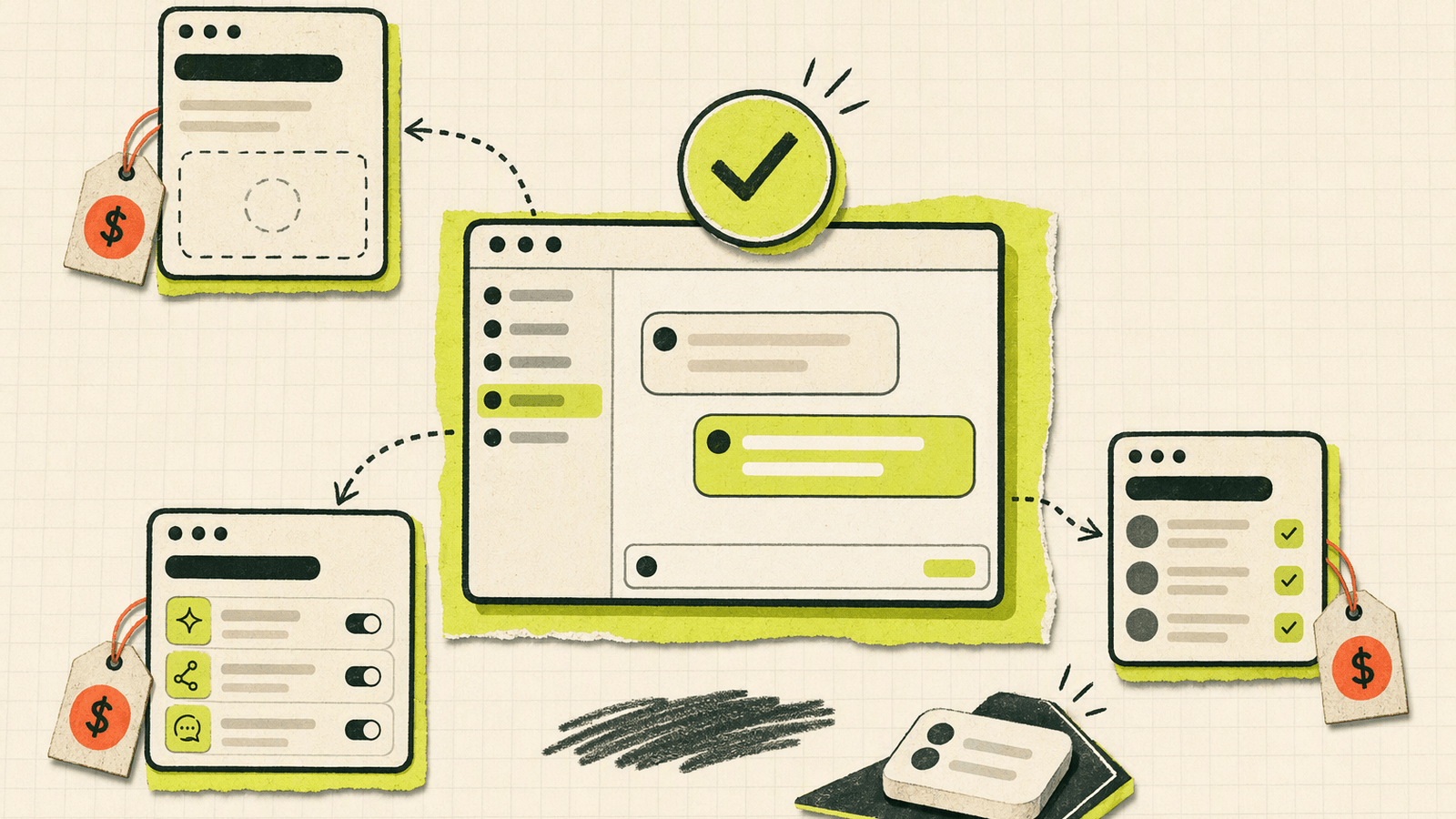
Tawk.to is one of the best-known names in free website live chat. If your search starts with “tawk.to pricing,” you are probably trying to understand how much “free” actually covers.
Because current Tawk.to prices and limits were not verified for this article, use the following as a checklist when reviewing the official Tawk.to pricing page:
| Pricing area to check | Why it matters for indie founders |
|---|---|
| Core live chat cost | Confirms whether your basic website chat use case is covered without monthly software cost |
| Seat or agent limits | Determines whether a cofounder, contractor, or support helper adds cost |
| Branding removal | Some tools monetize by charging to remove vendor branding |
| Add-ons | Optional features can turn a free tool into a paid setup |
| Human-agent services | Service-related offerings may be priced separately from software |
| Notifications | Check whether the channels you actually use are supported |
| Conversation history | Verify what is retained and whether limits apply |
| Maintenance overhead | More configuration can be a cost even if the software is free |
Tawk.to can be attractive if your mental model is “I need a live chat box on my site, and I want to keep software spend low.” That is a valid need.
The tradeoff is that a website chat widget is only one surface. Early founders often need contact entry points in more places: a Twitter/X bio, GitHub README, email signature, launch post, QR code, waitlist, mobile app settings page, or coming-soon page. A widget alone does not solve those cases unless there is already a website page where the widget can live.
This is where Knocket’s Contact Page changes the comparison.
Knocket pricing: 100% free forever, no ads, no seat limits
Knocket pricing is intentionally boring: 100% free forever.
There are no ads and no seat limits. You do not have to decide whether to invite your cofounder, designer, or part-time community helper because of per-seat pricing. You do not need to compare tiers before you know whether users even want to talk to you.
Knocket includes the core contact surfaces an early founder usually needs:
- Web Widget: add live chat to a website with one async script.
- Contact Page: publish a no-code, shareable page with live chat and contact links.
- Mobile Widget: embed a Knocket page inside an iOS, Android, Flutter, or React Native app via WebView.
- Unified Inbox: manage messages from website/app/page live chat plus connected channels in one place.
- Telegram and Email notifications: get notified where you already pay attention.
- Telegram reply flow: when enabled, you can receive live chat messages in Telegram and reply back without opening the console.
Start here: visit the Knocket homepage, then create your widget or page from the Knocket console.
For a website, installation is one line:
<!-- Paste before </head> or </body>. Replace YOUR_ID with your console identifier. -->
<script
  src="https://trtc.io/knocket-sdk/sdk.js?identifier=YOUR_ID"
  async>
</script>
The async attribute keeps the script from blocking page rendering. There is no npm package, build-step change, or framework lock-in. You can add it to WordPress, Shopify, Webflow, Framer, Carrd, Ghost, Wix, Squarespace, Next.js, Astro, Nuxt, or almost any site that allows custom code.
Get the full install snippet from the Knocket installation page.
Feature comparison: Tawk.to live chat vs Knocket widget, contact page, Telegram or Email notifications, and unified inbox

A fair comparison should not ask only, “Does it have chat?” It should ask how many contact paths you need and how much workflow you are willing to maintain.
| Feature area | Tawk.to pricing question to verify | Knocket |
|---|---|---|
| Website live chat | Check official pricing and limits | Included, 100% free forever |
| Setup | Check platform instructions | One async script from the console |
| Contact Page | Verify whether a comparable no-code shareable page is available | Included |
| Telegram notifications | Verify current support and behavior | Supported |
| Email notifications | Verify current support and behavior | Supported |
| Unified inbox | Check channel coverage and limits | Website/app/page live chat plus connected Telegram and Email |
| Seats | Verify current limits | No seat limits |
| Ads | Verify current branding/advertising behavior | No ads |
| Mobile app entry | Check whether widget can be embedded or adapted | WebView-based Mobile Widget |
| Best audience | Website owners needing chat | Indie developers and early founders catching early conversations |
This is also where comparisons with tidio pricing, crisp pricing, and other livechat alternatives become clearer. Many live-chat products are strong tools, but they often grow toward automation, sales operations, support queues, advanced integrations, or paid tiers. Those can be useful later. They can also be too much too early.
Knocket optimizes for a narrower moment: a founder is online, a visitor has a question, and the message should not disappear into a form submission nobody checks.
For example:
- A visitor asks if your beta supports a specific integration.
- A potential customer wants to know if your Shopify app works in their region.
- A GitHub user wants to report a confusing setup step.
- A newsletter reader wants to sponsor your project.
- A mobile app user wants to send feedback without leaving the app.
In those cases, the best tool is often not the one with the largest feature matrix. It is the one you will actually keep open, receive notifications from, and reply through.
You can configure the widget from your Knocket console workspace and copy the install code from Knocket installation settings.
Contact Page comparison: why Knocket also works where a website widget does not

A website widget assumes one thing: the user is already on your website.
That is often false for early products.
Your first users may come from:
- a launch post;
- a GitHub README;
- a personal profile;
- a link-in-bio slot;
- a newsletter footer;
- a demo video description;
- a QR code on a business card;
- a Discord or Telegram community;
- a “coming soon” page;
- a mobile app settings screen.
Knocket’s Contact Page is useful because it does not require a website and does not require code. You create a page, configure your profile, add social links, website, email, phone, blog, and live chat, then publish a custom URL. You can place that URL anywhere.
Create one from the Knocket Contact Page console.
This makes Knocket closer to a lightweight contact layer than a pure chat widget. It can replace several early-stage hacks:
| Early-stage workaround | Problem | Knocket Contact Page alternative |
|---|---|---|
| Linktree-style bio page | Links out but does not invite conversation | One page with links plus live chat |
| Google Form contact form | Feels asynchronous and impersonal | Visitor can chat or leave a message |
| Plain email link | Exposes inbox and lacks context | Contact page gives structure and chat |
| “DM me” social CTA | Platform-specific and easy to miss | One shareable URL |
| Waitlist form | Collects leads but may miss questions | Ask, answer, and qualify in the same place |
This also explains why some searches for tidio alternatives, intercom free alternatives, zendesk free alternatives, or drift chat alternatives lead founders to the wrong category. If you are not ready for a support suite, ticketing queue, sales automation platform, or CRM workflow, you may not need a “smaller Intercom.” You may need a simpler way for people to reach you.
Knocket’s Contact Page is that simpler layer.
Best fit scenarios: indie SaaS, personal site, waitlist, small ecommerce page, and mobile app contact entry

Here is the practical decision guide.
Indie SaaS
Use Knocket if you are validating positioning, onboarding beta users, or answering pre-sales questions yourself.
Best setup:
- Add the Web Widget to your landing page.
- Publish a Contact Page for your founder bio and launch posts.
- Connect Telegram or Email notifications.
- Reply from the unified inbox or Telegram.
A larger customer-support suite may make sense later when you have roles, SLAs, handoffs, reporting, and support volume. Before that, complexity can slow you down.
Personal site or portfolio
If your personal site brings consulting, open-source, sponsorship, or product inquiries, a simple chat widget can outperform a cold contact form because it lowers the effort to ask a quick question.
Knocket works well because it is free, lightweight, and does not force a CRM workflow. Add the script once, then use the Contact Page in your social bio.
Waitlist or coming-soon page
A waitlist should not only collect emails. It should reveal objections.
Questions like “Do you support teams?”, “Will there be a self-hosted version?”, or “Can I use this with Shopify?” are product research. Knocket helps you catch those questions while the visitor is still interested.
Use Knocket Contact Page publishing if you do not yet have a full landing page.
Small ecommerce page
For a small store, live chat is often about removing hesitation: shipping, sizing, stock, returns, compatibility, or delivery timing.
If you already use a platform like Shopify and want a free, founder-operated contact channel, Knocket’s Web Widget is enough to start. If you need more mature ecommerce support workflows later, compare specialist tools and verify pricing directly.
Mobile app contact entry
Knocket’s mobile approach is WebView-based, not a native SDK. That keeps it simple: load your Knocket page inside your app as a contact or feedback screen.
Use this when:
- you need a feedback entry inside an MVP;
- users should not leave the app to contact you;
- you want the same inbox for web, app, and page conversations;
- your app is built with iOS, Android, Flutter, React Native, or a hybrid stack.
The important limitation: this is a lightweight contact entry, not a full mobile support SDK with native ticketing workflows.
Migration guide: adding Knocket alongside or instead of an existing chat widget
You do not have to rip out Tawk.to, Tidio, Crisp, LiveChat, or another widget on day one. A safer migration is to run a small test.
Step 1: define the conversation you want to catch
Pick one use case:
- beta access questions;
- founder contact;
- ecommerce pre-sales;
- app feedback;
- support for a documentation page;
- sponsorship or partnership requests.
Do not start with every page. Start with the page where missing a conversation hurts.
Step 2: create your Knocket surface
Choose the right surface:
| Need | Knocket surface |
|---|---|
| Website visitors | Web Widget |
| Social bio or launch post | Contact Page |
| Mobile app feedback | Mobile Widget via WebView |
| Founder availability | Contact Page plus Telegram notification |
| Multiple entry points | Unified Inbox |
Create your page from Knocket Contact Page settings or install the widget from the Knocket installation console.
Step 3: connect notifications
For founder-led support, notifications matter more than dashboards.
Enable Telegram or Email notifications so a live visitor is not waiting while you forget to open another tab. If Telegram reply is enabled, you can quote-reply to a live chat message and send the response back to the visitor without opening the console.
That is a small workflow detail, but it matters for indie founders. You are usually coding, shipping, writing docs, or talking to users in other channels. The contact tool should come to you.
Step 4: avoid duplicate widgets on the same page
Running two chat bubbles on one page can confuse visitors and slow down decision-making. If you test Knocket alongside another tool, use clean separation:
- Knocket on the waitlist page;
- existing widget on the main marketing site;
- Knocket Contact Page in social bios;
- existing support tool for logged-in customers.
After a week or two, compare message quality, response time, and whether you actually used the tool.
Step 5: remove what you do not maintain
A dead chat widget is worse than no chat widget. If you will not monitor a tool, remove it.
The best early-stage contact setup is usually the one with the fewest moving parts:
- one contact page;
- one website widget;
- one inbox;
- Telegram or Email notifications;
- one human replying honestly.
Final recommendation: Tawk.to vs Knocket for founder-led customer conversations
Choose Tawk.to if your main requirement is a known free website live chat tool and you are comfortable reviewing its current official pricing, add-ons, branding options, and service-related costs yourself.
Choose Knocket if you are an indie developer or early-stage founder who wants a lightweight way to catch conversations before you have a support team. Knocket is especially strong when you need more than a website widget:
- a no-code Contact Page;
- a link you can share anywhere;
- Telegram or Email notifications;
- one unified inbox;
- no ads;
- no seat limits;
- 100% free forever.
Do not choose Knocket because you want a CRM, helpdesk, enterprise support suite, or AI chatbot platform. That is not its job.
Choose Knocket because you want to hear from real users while your product is still small enough that every conversation can change the roadmap.
FAQ
Is Tawk.to really free?
Tawk.to is widely associated with free live chat, but current pricing, add-ons, branding terms, and service-related costs were not verified for this article. Check the official Tawk.to pricing page before deciding.
Is Knocket free?
Yes. Knocket is 100% free forever with no ads and no seat limits. It includes the website widget, Contact Page, unified inbox, and Telegram or Email notifications.
Is Knocket an Intercom alternative?
Not in the enterprise-suite sense. Knocket is not a CRM, helpdesk, or Intercom replacement. It is a lightweight contact tool for indie founders who want to catch early user conversations.
How does Knocket compare with Tidio pricing or Crisp pricing?
Tidio pricing and Crisp pricing can change, and current details were not verified here. The practical difference is category focus: Knocket is built as a free early-stage contact layer, while many live-chat tools expand into paid support, automation, or sales workflows.
Can I use Knocket without a website?
Yes. Knocket’s Contact Page is no-code and shareable. You can put it in a social bio, email signature, launch post, QR code, README, waitlist, or mobile app contact screen.
Can I add Knocket to a mobile app?
Yes, via WebView. Knocket’s Mobile Widget approach works by loading your Knocket page inside an iOS, Android, Flutter, React Native, or hybrid app. It is not a native SDK.
What are good livechat alternatives for indie founders?
If you are researching livechat alternatives, tidio alternatives, intercom free alternatives, zendesk free alternatives, or drift chat alternatives, first decide whether you need a full support platform or just a way for users to contact you. If you only need founder-led conversations, try Knocket.