

TL;DR: Tidio is for scaling support; Knocket is for catching early users
If you are searching for “tidio pricing plans 2025 2026 free”, the practical question is not only “How much does Tidio cost?” It is: Do you need a support automation platform yet, or do you just need a reliable way for early users to reach you?
Tidio can make sense when your team needs live chat plus automation, ecommerce workflows, and a more developed support stack. Knocket makes sense earlier: when you are a solo founder, indie developer, or small team trying to talk to the first 100 users without adding seats, plans, ads, or support software overhead.
Information checked: August 14, 2026. Competitor research status for this article is degraded, so current Tidio prices, limits, and plan names were not independently re-verified beyond linking to official pages. Always confirm time-sensitive details on the official Tidio pricing page, Tawk.to pricing page, Crisp pricing page, LiveChat pricing page, and Intercom pricing page before buying.
Quick decision:
| If you need… | Better fit |
|---|---|
| Live chat plus automation and ecommerce support workflows | Tidio |
| A free website contact widget in minutes | Knocket |
| A no-code contact link for bio, waitlists, and early access | Knocket |
| A unified inbox for website, Contact Page, Telegram, and Email | Knocket |
| A mature support platform before hiring support agents | Tidio or another support suite |
| No ads, no seat limits, no paid tier | Knocket |
Useful Knocket links: Knocket homepage, Knocket console, install the website widget, create a Contact Page, and open-source Knocket AI Agent.
Why Tidio pricing matters for small teams choosing live chat

Live chat pricing matters most when your team is still small enough that every extra tool creates operational drag. A $20, $50, or $100 monthly tool is not just a line item; it often means new workflows, notification rules, dashboards, team access, billing ownership, and “who is responsible for replying?” decisions.
For an early-stage founder, the first live chat requirement is usually simple:
- A visitor has a question.
- The founder gets notified.
- The founder replies quickly.
- The visitor sees the reply.
That is different from a support team’s requirement:
- Multiple agents cover shifts.
- Conversations are routed.
- Automation handles repeated questions.
- Reporting tracks response time.
- Paid support features justify themselves.
Tidio belongs closer to the second path. Knocket is built for the first path.
This distinction is why Tidio alternatives should not all be compared as if they solve the same job. Intercom, Zendesk, LiveChat, Crisp, Tawk.to, Tidio, Freshchat, and Drift often appear in the same “best live chat software” searches, but they are aimed at different operating stages. A founder validating a landing page does not need the same system as a company with support queues.
Market data also explains why pricing pages keep getting more complex. Grand View Research reports continued growth in customer experience management software, while Statista tracks rising global spending across customer service and CRM software categories. Those markets reward feature depth, automation, and enterprise expansion. Early founders often need the opposite: fewer features, faster setup, and a direct line to real users.
Sources for broader context: Grand View Research customer experience management market report, Statista CRM software market data, and Gartner customer service and support insights.
Tidio pricing overview: free entry points, paid plans, limits, and common upgrade triggers
Tidio is commonly evaluated because it combines live chat with automation-oriented customer communication. Its official site positions the product around live chat, chatbots, help desk style workflows, and AI-assisted customer communication. Since pricing and packaging can change, this article does not claim current plan prices or limits. Check the official Tidio pricing and Tidio live chat product page for exact numbers.
When small teams look at Tidio pricing, the important questions are usually:
| Pricing question | Why it matters before you scale |
|---|---|
| Is there a free entry point? | Useful for testing, but feature and usage limits may shape when you upgrade. |
| Are chats, operators, or automation events limited? | Limits determine whether the tool remains comfortable as traffic grows. |
| Which features are paid? | Automation, AI, analytics, branding controls, or integrations may sit behind paid plans. |
| Does pricing scale by seat, usage, or feature tier? | A tool that is cheap for one person may change when teammates join. |
| Is ecommerce automation included? | Valuable for stores, less useful for a pre-launch SaaS waitlist. |
Common upgrade triggers for live chat tools include:
- You need more conversations than the free entry point allows.
- You want automation or chatbot flows.
- You need more operators or teammates.
- You want deeper integrations with ecommerce, CRM, or support tools.
- You want to remove branding or unlock advanced customization.
- You need analytics or reporting for a support function.
None of those triggers are bad. They are signs that support is becoming a real function. But if you are still testing a landing page, those triggers can arrive before you have proven the product deserves a support stack.
That is the gap Knocket is designed for.
Knocket pricing: 100% free forever, no ads, no seat limits
Knocket is 100% free forever. There are no ads and no seat limits. It is not a freemium support platform with a paid tier waiting behind the next feature. It is a lightweight contact tool for indie developers and early-stage teams.
Knocket gives you three practical ways to be reachable:
- Web Widget: add live chat to a website with one async script.
- Contact Page: publish a no-code contact link with live chat and social/contact links.
- Unified Inbox: manage messages from your website, app, Contact Page, Telegram, and Email in one place.
The key point: Knocket is not trying to become your CRM, ticketing system, or enterprise support suite. It helps you catch and reply to people who are already interested enough to contact you.
That matters for early products because the highest-value messages are often messy:
- “Does this work with my stack?”
- “Can I try the beta?”
- “I found a bug.”
- “Do you support my country?”
- “Can we talk before I buy?”
- “I’m building something similar — want feedback?”
Those conversations rarely need automation at the start. They need a founder to answer.
If you want to test Knocket’s core loop, the workflow is simple: go to the Knocket console, create a widget or page, send yourself a test message, enable Telegram or Email notification, and reply.
Feature comparison: Tidio live chat and automation vs Knocket contact widget, contact page, and unified inbox
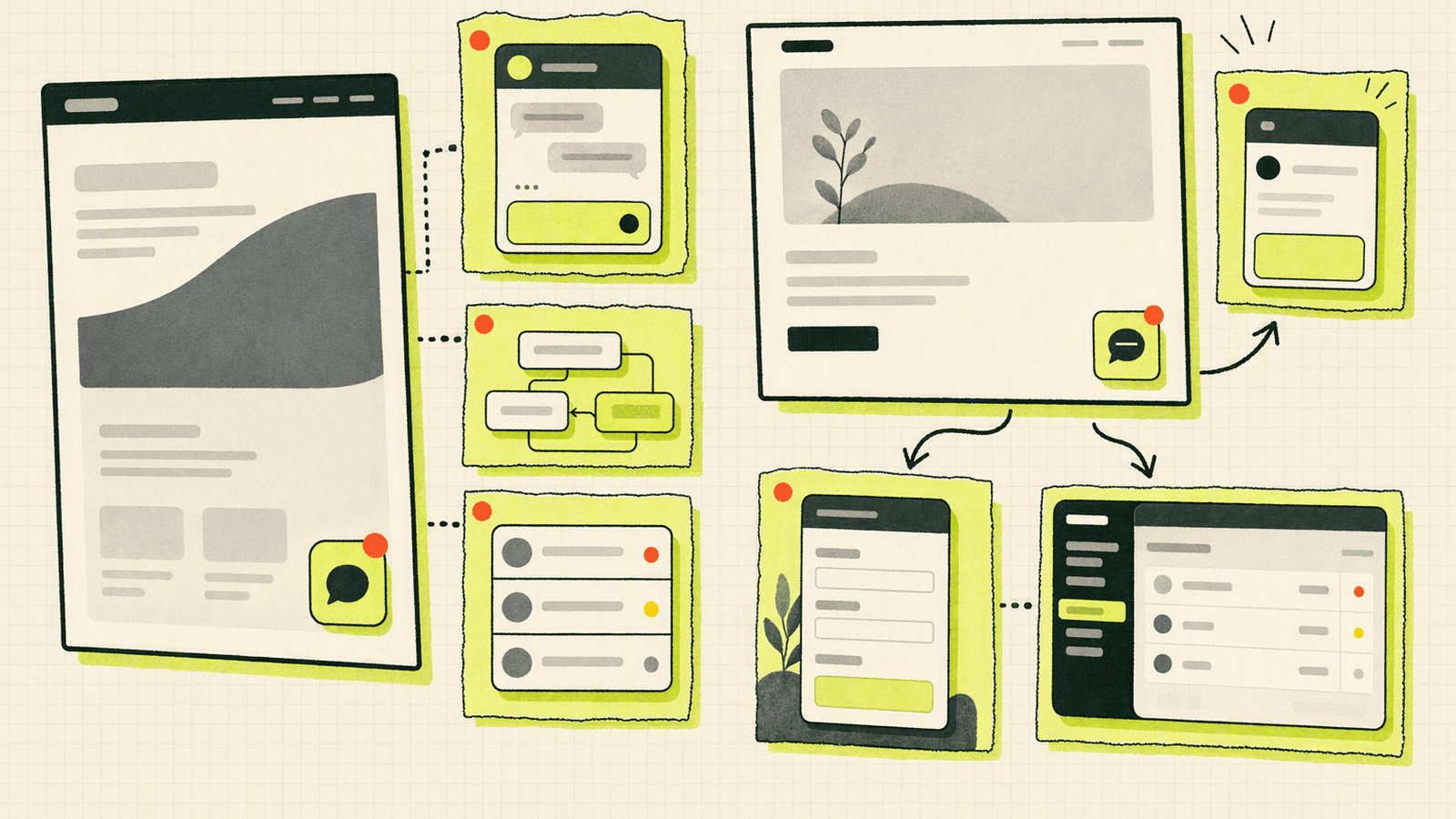
Tidio and Knocket overlap on “a visitor can contact you,” but they diverge quickly after that.
| Feature area | Tidio | Knocket |
|---|---|---|
| Primary fit | Teams growing support, sales chat, or ecommerce communication | Indie founders and early teams catching every inbound message |
| Website live chat | Yes; verify current details on Tidio’s official product pages | Yes; one async script |
| Automation / chatbot workflows | Tidio is known for automation-oriented features; verify current plan availability | Not positioned as an automation platform |
| AI support features | Check Tidio’s official AI and pricing pages for current packaging | Open-source Knocket AI Agent is available, but Knocket itself remains a lightweight contact tool |
| Contact Page | Not the core comparison point | Yes; no-code, shareable link |
| Link-in-bio style use | Possible through external tools | Built into the Contact Page use case |
| Unified Inbox | Tidio has inbox-style product workflows; verify current details officially | Website/App/Page live chat plus Telegram and Email in one Knocket Inbox |
| Telegram notifications and reply forwarding | Verify official integrations | Supported for live chat notifications and quoted reply forwarding |
| Pricing model | Time-sensitive; check official pricing | 100% free forever, no ads, no seat limits |
| Best early use | When you already need automation | When you need real conversations before support ops |
Knocket’s unique advantage is not having more support features. It is having fewer decisions.
A founder can put one contact surface everywhere:
- Website footer
- SaaS landing page
- GitHub project README
- Twitter/X or LinkedIn bio
- Email signature
- Waitlist page
- Beta invite
- App help screen via WebView
The same person can then reply from the Knocket Inbox or, if configured, from Telegram notifications without opening the console.
For founders who live in code editors and messaging apps, that is often enough.
Setup comparison: website widget, no-code contact page, and Telegram or Email notifications

Setup is where early-stage tools win or lose. If adding chat requires redesigning support operations, it is too heavy for a weekend launch.
Knocket website widget setup
Knocket’s website widget uses one async script. Get the complete code from Knocket installation settings and paste it before </head> or </body>.
<!-- Paste before </head> or </body>.
Replace YOUR_ID with the identifier from the Knocket console. -->
<script
  src="https://trtc.io/knocket-sdk/sdk.js?identifier=YOUR_ID"
  async>
</script>
Because it is async, it does not block rendering. You do not need npm, a build step, or a frontend framework. It works with common site builders and stacks that allow custom code, including WordPress, Shopify, Webflow, Framer, Carrd, Ghost, Wix, Squarespace, Next.js, Astro, and Nuxt.
Knocket Contact Page setup
The Contact Page is no-code. Create it in Knocket Contact Page settings, configure your avatar, intro, theme, social links, website, email, phone, blog, and live chat, then publish the URL.
Use it when you do not want to install anything:
- “Contact us” link on a landing page
- Link in bio
- Beta access page
- Waitlist link
- Partnership inquiry page
- QR code on a business card
- Email signature
- GitHub project contact link
This is where Knocket differs from tools that start with a website widget. You can be reachable even before you have a full website.
Notifications and replies
Knocket can send messages into Telegram or Email. With Telegram notifications enabled, a live chat message can be forwarded to Telegram, and you can reply by quoting/forwarding so the answer goes back to the visitor. You can also reply from the unified inbox.
That workflow is intentionally founder-friendly. You do not need to sit in a dashboard all day to catch a real buyer, beta user, or bug reporter.
Pricing comparison scenarios: solo founder, waitlist page, small ecommerce site, and SaaS landing page

Pricing comparisons are clearest when tied to actual use cases. Since current competitor prices were not re-verified for this article, treat the Tidio side as a buying checklist and confirm exact numbers on official pages.
| Scenario | What you need | Tidio pricing concern | Knocket fit |
|---|---|---|---|
| Solo founder with a landing page | Catch questions and reply fast | You may not need paid automation yet | Strong fit: free widget + inbox |
| Waitlist page | Let visitors ask before joining | A full chat suite may be too much | Strong fit: Contact Page or widget |
| Small ecommerce site | Pre-sale questions, order questions, repeated FAQs | Automation and ecommerce workflows may justify a paid tool | Tidio may fit better if automation matters |
| SaaS landing page | Demo questions, beta access, bug reports | Paid tiers may arrive before product-market fit | Knocket fits until support volume becomes structured |
| App with in-app contact | Let users message from mobile | Native mobile support details vary by vendor | Knocket supports Mobile Widget via WebView |
| Founder-led sales | Direct conversation with interested users | Advanced routing may be unnecessary | Knocket keeps messages personal |
Scenario 1: solo founder
If you are shipping a landing page on a weekend, your biggest risk is not missing an automation rule. It is missing the one visitor who wanted to talk. Knocket is the simpler choice: add the widget, enable notifications, reply personally.
Scenario 2: waitlist page
A waitlist form captures intent, but it does not capture objections. A Contact Page lets people ask, “Is this for teams like mine?” before they join. That is often more useful than another form field.
Scenario 3: small ecommerce site
This is where Tidio may make more sense. Stores often get repeated questions about shipping, discounts, availability, and order status. If automation reduces repetitive work and helps revenue, a paid live chat stack can be justified. Confirm current Tidio ecommerce features and plan packaging on official pages.
Scenario 4: SaaS landing page
For early SaaS, the first 100 users often need founder-level answers. Knocket is useful here because the Contact Page, widget, and Telegram/Email notifications keep the loop short. When you later hire support or need routing, analytics, and automation, reassess Tidio, Crisp, LiveChat, Intercom, Zendesk, Freshchat, or other tools.
Migration guide: switching from a paid live chat stack to a lightweight contact page and inbox
If you are paying for a live chat product before you have steady support volume, migration does not need to be dramatic. The goal is to preserve contactability while removing operational overhead.
Use this checklist:
- Audit your last 30 conversations. Count how many required automation, routing, or a formal support process. If most were founder replies, a lightweight setup may work.
- List required channels. For Knocket, keep the scope to website/App/Page live chat, Telegram, and Email.
- Create your Knocket Contact Page. Add avatar, short intro, website, email, social links, and live chat. Publish it from Knocket Contact Page settings.
- Install the website widget. Add the async script from Knocket installation settings to your landing page.
- Connect notifications. Enable Telegram or Email notifications so you do not need to monitor a dashboard.
- Update public links. Replace old “Contact,” “Support,” “Talk to us,” or bio links with your Knocket Contact Page.
- Keep the old tool during overlap. Run both briefly if you have active conversations or embedded support flows.
- Do not migrate complexity you no longer need. If you are removing automation, do not rebuild it manually unless users actually ask the same question repeatedly.
For mobile apps, Knocket can be embedded through a WebView. Do not treat it as a native SDK; it is a lightweight mobile contact surface using your Knocket page.
import { WebView } from 'react-native-webview';

export default function ContactScreen() {
  return (
    <WebView
      source={{ uri: 'https://your-page.knocket.io/contact?platform=mobile' }}
      javaScriptEnabled
      domStorageEnabled
    />
  );
}
The migration test is simple: can a visitor send a message, can you receive a notification, can you reply, and can the visitor see the reply? If yes, the contact loop works.
Recommendation: Tidio vs Knocket by product stage
Choose based on stage, not feature count.
| Product stage | Recommendation |
|---|---|
| Idea validation | Knocket |
| Pre-launch waitlist | Knocket |
| Indie SaaS landing page | Knocket |
| Founder-led beta | Knocket |
| Small store with repeated questions | Evaluate Tidio and other ecommerce-oriented chat tools |
| Growing support team | Evaluate Tidio, Crisp, LiveChat, Intercom, Zendesk, Freshchat |
| Need routing, SLAs, advanced automation, reporting | Knocket is likely too lightweight |
Knocket is the better fit when:
- You want to be reachable today.
- You do not want live chat billing decisions yet.
- You want a Contact Page you can share anywhere.
- You want Telegram or Email notifications.
- You are still learning who your users are.
- You prefer direct conversations over automation.
Tidio may be the better fit when:
- You have enough repeated questions to automate.
- You run an ecommerce site where chat workflows affect revenue.
- You need a broader customer communication platform.
- You have teammates who need more structured support operations.
- You are ready to pay for features that save measurable time.
The honest answer: Knocket is not trying to replace Tidio for teams that already need Tidio’s broader product category. Knocket is for the stage before that, when a founder needs a free, lightweight contact layer that does not punish growth with seats, ads, or plan upgrades.
FAQ
Is Knocket a Tidio alternative?
Knocket can be a Tidio alternative for early-stage founders who only need a website widget, Contact Page, unified inbox, and Telegram or Email notifications. It is not a full support automation platform.
Is Knocket really 100% free forever?
Yes. Knocket is 100% free forever, with no ads and no seat limits. Avoid thinking of it as a limited free tier; there is no paid tier.
Does Knocket have chatbots like Tidio?
Knocket is not positioned as an AI chatbot platform. There is an open-source Knocket AI Agent for AI-assisted replies, but the core product is a lightweight contact tool for real conversations.
Can I use Knocket without a website?
Yes. Use the no-code Contact Page from Knocket Contact Page settings. Share it in a bio, email signature, waitlist, QR code, or early-access campaign.
Can Knocket replace Intercom, Zendesk, or LiveChat?
Not for teams that need a CRM, ticketing system, routing, SLAs, or enterprise support operations. Knocket is for indie developers and early teams who need a simple way to catch and reply to inbound users.
How should I compare Tidio pricing with Knocket?
Check Tidio’s official pricing page for current plans, limits, and paid features. Then ask whether you truly need automation and support workflows today. If you only need direct contact, Knocket is simpler and free.
Does Knocket work on mobile apps?
Yes, through a Mobile Widget embedded with WebView in iOS, Android, React Native, Flutter, or hybrid apps. It is not a native SDK.
What are other tools to compare with Tidio?
Common searches include tawk.to pricing, crisp pricing and plans, livechat alternatives, and intercom free alternatives. Compare them by setup time, paid limits, branding, seats, automation, and whether you need a support suite yet.
If you are still trying to reach your first 100 users, start with the lighter path: add a free widget, publish a Contact Page, and reply from one inbox. Try Knocket.