
TL;DR
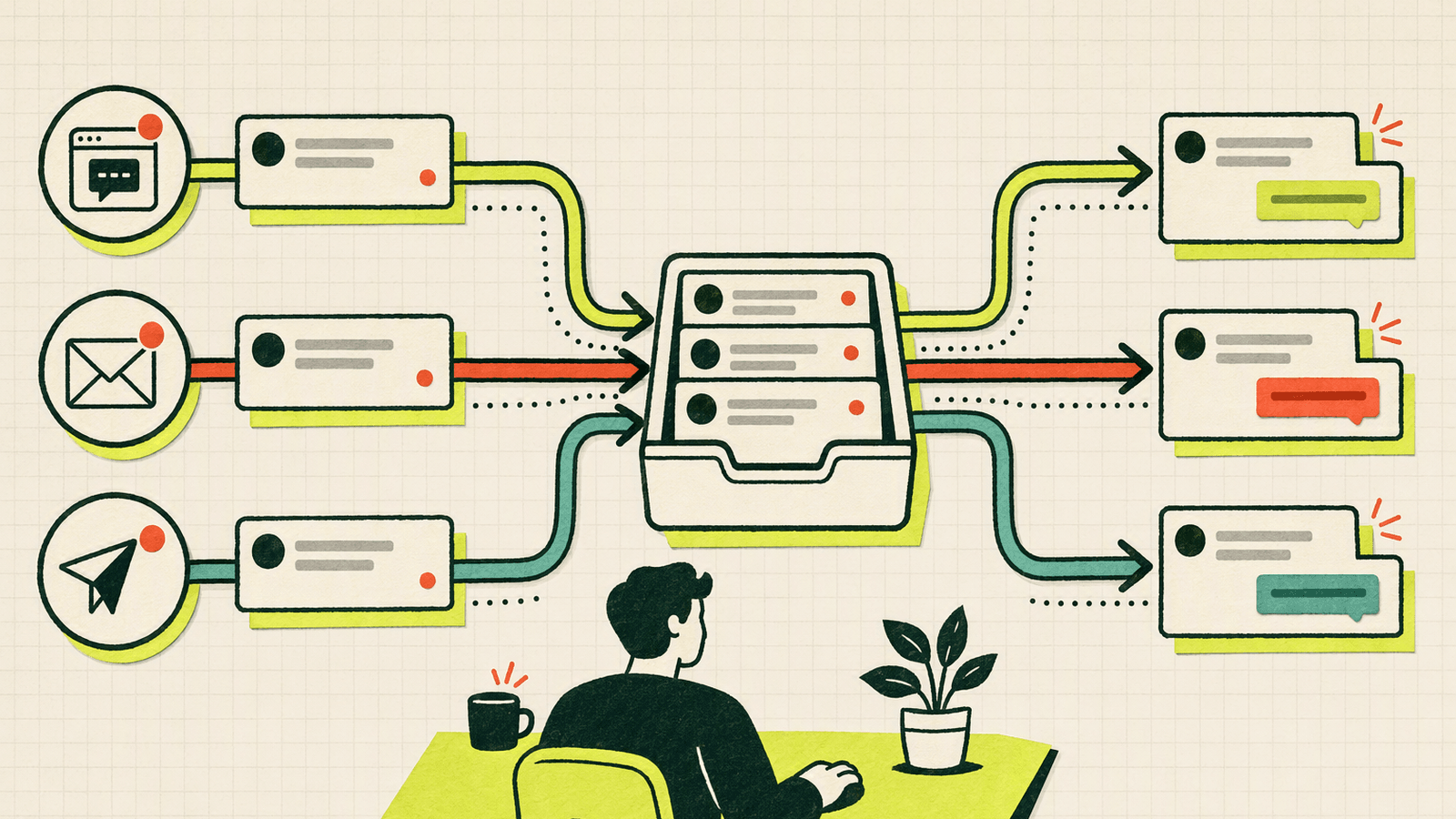
A unified inbox collects website live chat, contact-page conversations, email, and Telegram messages in one place. When you reply, the message returns through the visitor’s original channel.
For an early-stage founder, that means:
- Visitors can start conversations through live chat or a contact page.
- Email and Telegram conversations appear beside chat messages.
- You can answer from one centralized messaging inbox.
- Replies return to the channel where each conversation began.
Knocket provides this workflow without requiring a CRM or heavy support stack. It is 100% free forever, with no ads or seat limits. Explore Knocket’s lightweight contact tools or follow the five-minute setup below.
What Is a Unified Inbox?
A unified inbox is a single workspace for reading and replying to messages from multiple communication channels. Instead of checking a website chat dashboard, email, and Telegram separately, you manage the conversations together.
A useful unified messaging inbox must preserve the source of each conversation and route your reply back correctly.
| Incoming source | Where you reply | Where the user receives it |
|---|---|---|
| Website live chat | Unified inbox | Website chat conversation |
| Contact page | Unified inbox | Contact-page conversation |
| Unified inbox | ||
| Telegram | Unified inbox | Telegram |
| Mobile Widget | Unified inbox | In-app WebView conversation |
This differs from forwarding notifications into a shared mailbox, which may remove context or force you to use another application to answer. It also differs from a CRM, which manages contacts, deals, pipelines, and sales records.
Why Early-Stage Founders Lose Messages Across Channels

Early products rarely begin with a communication strategy. Channels accumulate one at a time: a public email address, Telegram for early adopters, a live chat widget, and a contact link in a social profile.
Each addition is sensible, but messages get missed because notifications are muted, browser tabs are closed, or nobody knows who has replied.
Research summarized by the Harvard Business Review describes the measurable “toggle tax” caused by switching applications. For a small team, the greater risk is losing high-intent questions, bug reports, and beta requests while finding the first 100 users.
How Website Chat, Contact Pages, Email, and Telegram Work Together
A practical multichannel inbox gives users multiple doors while keeping one room behind them.
Website live chat captures active intent
A live chat widget reaches people while they are evaluating your product. Knocket’s Web Widget is added with one asynchronous script:
<script
  src="https://trtc.io/knocket-sdk/sdk.js?identifier=YOUR_ID"
  async>
</script>
The async attribute allows the page to continue rendering while the script loads; MDN explains asynchronous scripts. Copy your complete code from the Knocket widget installation page.
A contact page works beyond your website
A contact page is a shareable URL containing live chat plus optional contact and social links. It works in social-media bios, email signatures, launch posts, QR codes, and waitlists.
It requires no website or code. You can publish a Knocket contact page and use the same destination everywhere.
Email supports asynchronous conversations
Email remains useful for detailed requests. Connecting it to an email and chat inbox prevents longer conversations from being isolated from live messages.
Telegram keeps founders close to urgent messages
Telegram can serve as an incoming channel and notification destination. With Knocket notifications enabled, a founder can receive a live chat message in Telegram and send a quoted reply back without opening the console.
Telegram documents its interfaces in the official Telegram Bot API reference. Knocket handles the channel routing.
A Practical Unified Inbox Workflow for Small Teams
- Review one inbox. Make it the default place to check conversations.
- Read the source label. A Telegram message and detailed email may require different styles.
- Reply in context. Answer from the conversation thread.
- Preserve the channel. Do not move users to email unless necessary.
- Use notifications when away.
- Confirm ownership. For a two-person team, assign review times so everyone knows who responds.
A centralized messaging inbox reduces fragmentation, but it cannot fix ambiguous responsibility.
How Knocket Routes Messages Back to Their Original Channels
Knocket retains each conversation’s origin. A website inbox reply returns to the widget conversation, an email reply returns through email, and a Telegram response returns through Telegram.
User’s channel → Knocket Inbox → founder’s reply → original channel
Knocket can bring together Web Widget, Mobile Widget, Contact Page, email, and Telegram conversations. The goal is a direct line between an early product and the people trying it, without complex queues or enterprise workflow automation.
How to Set Up a Unified Inbox in Five Minutes

1. Create your Knocket workspace
Visit the Knocket website and open the console. The core functionality is 100% free forever, without ads or seat limits.
2. Choose your first contact surface
Install the Web Widget if you have a website. Otherwise, create a no-code contact page. Configure the avatar, greeting, theme color, language, and offline message.
3. Test the user journey yourself
Open the website or contact page in a private browser window and send a realistic question. Confirm that it reaches the inbox, then reply and verify that the response appears in the original conversation.
4. Connect email and Telegram
Add channels you already monitor. Enable Telegram or browser notifications if you cannot leave the console open. Review Telegram’s account security recommendations before using it for business conversations.
5. Publish one clear contact path
Add the widget to your site and place the contact-page URL in your social bio, launch post, or email signature. Return to the Knocket console and run one final end-to-end test.
Unified Inbox Best Practices Without Building a Heavy Support Stack
Preserve channel context
If someone chose live chat, reply there unless sensitive details or a longer document require another channel.
Write replies that create learning
Answer the immediate question, then ask one specific follow-up:
“You can add the widget before the closing body tag. Which site builder are you using?”
This produces more useful product insight than a generic “Anything else?”
Keep the channel list intentional
Start with website chat, a contact page, email, and Telegram. Add another channel only after repeated user demand.
Compare complexity, not feature counts
Tawk.to, Crisp, and Tidio provide established chat products, but their packaging differs. Review their current official pages for Tawk.to pricing, Crisp pricing, and Tidio pricing.
Knocket is designed for an earlier stage: direct contact, one inbox, lightweight installation, and no seat-based charges.
Test every contact surface after changes
Theme edits, site migrations, privacy tools, and WebView changes can affect contact entry points. Test notification delivery and reply routing after deployment.
When a Unified Inbox Is Enough for Your First 100 Users
A live chat unified inbox is usually sufficient when:
- One to five people answer messages.
- Conversation volume is manageable manually.
- Most questions benefit from founder involvement.
- You need website, contact-page, email, and Telegram access.
- Direct conversation matters more than reporting or automation.
You may need additional tooling later for formal service-level agreements, advanced ticket queues, complex permissions, or regulated retention workflows. For the first 100 users, speed and attention are usually more valuable than workflow sophistication.
Frequently Asked Questions
What is the difference between a unified inbox and a shared email inbox?
A shared email inbox manages email addresses used by multiple people. A unified inbox combines email, website chat, contact pages, and Telegram while preserving each conversation’s origin.
Can a unified inbox replace a CRM?
No. A unified inbox handles conversations. A CRM typically manages sales records, pipelines, contact properties, and account history.
Does Knocket support Telegram replies?
Yes. Telegram can feed messages into the unified inbox. With notifications enabled, founders can also use quoted forwarding replies to send responses back to visitors.
Do I need a website to use Knocket?
No. A Knocket Contact Page provides a shareable URL with live chat and configurable contact links.
Can I add Knocket to a mobile app?
Yes. Use the Mobile Widget by loading your Knocket page through a WebView in iOS, Android, React Native, or Flutter. It is a WebView integration, not a native SDK.
Is Knocket free for multiple team members?
Knocket is 100% free forever, with no ads and no seat limits.
When should I move beyond a unified inbox?
Consider a larger support stack when message volume requires formal queues, complex permissions, SLA tracking, or specialized compliance controls.
Keep every early conversation within reach. Try Knocket for free and connect your website, contact page, email, and Telegram in one lightweight inbox.