

TL;DR: the best Intercom alternative depends on your stage
If you are still trying to reach your first 100 users, Intercom is often more platform than you need. A founder at this stage usually needs three things: a way for visitors to contact you, notifications that you will actually see, and a simple place to reply. Knocket fits that early-stage workflow with a 100% free forever contact widget, shareable Contact Page, unified inbox, Telegram notifications, and email replies.
Information note: this article was written on August 14, 2026. Competitor research status is degraded, so current competitor prices, limits, feature gates, and rankings were not independently verified for this draft. Treat competitor notes as directional and check each provider’s official pricing and product pages before making a buying decision.
Quick recommendation:
| If you need... | Start with... | Why |
|---|---|---|
| A free, lightweight contact layer for an early product | Knocket | Free forever, no ads, no seat limits, one-line widget, Contact Page, unified inbox |
| A broader small-team live chat suite | Crisp, Tidio, Tawk.to | Often evaluated for website chat plus extra support features |
| A mature paid support workflow | LiveChat, Zendesk | Better fit when support becomes a team function |
| A full customer communication platform | Intercom | Stronger when you need advanced platform depth, not just founder-user conversations |
Why early teams look for Intercom alternatives

Founders usually search for “intercom alternatives” for one of four reasons:
- They only need conversations, not a platform. At the idea, beta, or first-revenue stage, the job is not ticket routing, SLA reporting, or complex automation. The job is simple: do not miss people who are interested enough to talk.
- Intercom pricing feels hard to justify early. Searches for “intercom pricing” and “intercom chat pricing” often come from teams trying to understand whether a paid customer platform makes sense before they have predictable support volume. Because pricing changes, verify the current details on the official Intercom pricing page.
- Setup and maintenance create drag. A tool can be powerful and still be wrong for a founder who wants to ship today. If installing chat requires configuring teams, roles, workflows, and automation before a single user can say hello, the tool may slow you down.
- Early conversations are qualitative, not operational. The best early messages are messy: “I don’t understand this,” “Can it do X?”, “I’d pay if you add Y.” Those are founder learning loops, not support tickets.
This does not make Intercom bad. It means Intercom is optimized for a different stage. Intercom, Zendesk, and similar products can be excellent once you have a support function. Before that, many founders are better served by a smaller contact tool that helps them reply fast and learn directly.
External context: customer communication software is a mature category, with established vendors publishing their own pricing and packaging pages. For broader category context, see reports from Grand View Research on customer experience management and Gartner customer service and support research.
How to evaluate Intercom alternatives by stage: first users, beta launch, paid customers, and support scale
Do not compare Intercom alternatives only by feature count. Compare them by stage.
Stage 1: first users
Your product may have a landing page, a waitlist, a demo, or a small app. The best tool is the one you can install in minutes and actually monitor.
Look for:
- One-line website widget
- Shareable contact link for social bios and email signatures
- Notifications through channels you already use
- No per-seat anxiety when a cofounder joins
- Minimal setup
This is where Knocket’s one-line website widget and no-code Contact Page are strongest.
Stage 2: beta launch
During beta, you need to capture bug reports, objections, and buying intent. You may not need automation yet, but you do need message continuity.
Look for:
- A unified inbox
- Email or Telegram notifications
- Ability to reply without losing context
- Basic customization for your brand
- A contact path for users who are not on your website
Knocket supports this with website/app/page live chat flowing into one inbox, plus Telegram and email channels documented in the product background.
Stage 3: paid customers
Once people pay, expectations rise. You may still be founder-led, but response discipline matters more.
Look for:
- A reliable inbox routine
- Clear ownership inside the team
- Easy handoff if a teammate replies
- Ability to keep sales, support, and feedback separate enough to act on them
At this point, Crisp, Tidio, Tawk.to, LiveChat, Zendesk, and Intercom may all deserve evaluation depending on your support volume and budget. Verify their official pages before deciding: Crisp pricing, Tidio pricing, Tawk.to pricing, LiveChat pricing, and Zendesk pricing.
Stage 4: support scale
When support becomes a department, the evaluation changes. You may need reporting, automation, permissions, routing, knowledge base workflows, and integrations with the rest of your customer stack.
That is not the stage Knocket is trying to replace. Knocket is built for the earlier moment: when talking directly to users is still the fastest path to product-market learning.
Quick comparison table: Knocket, Crisp, Tidio, Tawk.to, LiveChat, Zendesk, and Intercom
Because competitor research is degraded, the table below avoids exact current prices or limits. Use it as a decision map, then verify details on official pages.
| Product | Best fit | Contact widget | Contact page | Unified inbox | Pricing posture to verify | Early-founder fit |
|---|---|---|---|---|---|---|
| Knocket | Indie founders capturing early conversations | Yes | Yes | Yes: live chat, Telegram, email | 100% free forever, no ads, no seat limits | Very strong |
| Crisp | Small teams wanting broader live chat tooling | Yes | Verify current scope | Verify current scope | Verify paid tiers and feature gates | Good if you want more suite features |
| Tidio | Teams evaluating chat plus automation | Yes | Verify current scope | Verify current scope | Verify automation and plan limits | Good if automation matters |
| Tawk.to | Teams seeking no-cost website chat | Yes | Verify current scope | Verify current scope | Verify add-ons and service pricing | Good for live chat-first use |
| LiveChat | Support teams with paid chat operations | Yes | Verify current scope | Verify current scope | Verify agent or seat pricing | Better after support volume grows |
| Zendesk | Mature support operations | Yes, via product suite | Verify current scope | Yes, within suite context | Verify suite packaging | Better for support teams |
| Intercom | Full customer communication platform | Yes | Verify current scope | Yes, within platform context | Verify Intercom pricing directly | Powerful, often heavy early |
The key distinction: Knocket is intentionally lightweight. It is not trying to be a CRM, helpdesk, ticketing system, or Intercom replacement. It is a contact layer for founders who still benefit from reading and replying to every serious message themselves.
Knocket overview: free contact widget, contact page, unified inbox, and Telegram or Email replies
Knocket is designed around one question: how can an early founder avoid missing a user who wants to talk?
It has four core pieces.
1. Web Widget
Add a live chat widget to your website with one asynchronous script. It works on sites that allow custom code, including common builder and framework setups such as WordPress, Shopify, Webflow, Framer, Carrd, Ghost, Wix, Squarespace, Next.js, Astro, and Nuxt.
<!-- Paste before </head> or </body>.
     Replace YOUR_ID with the identifier from your Knocket console. -->
<script
  src="https://trtc.io/knocket-sdk/sdk.js?identifier=YOUR_ID"
  async>
</script>
You can get the complete snippet from the Knocket installation page.
2. Contact Page
A Contact Page is a shareable page with live chat plus configurable links such as social profiles, website, email, phone, or blog. It is useful when you do not have a polished website yet, or when you want a single link for:
- X/Twitter bio
- LinkedIn profile
- Product Hunt launch
- Email signature
- QR code
- Demo booking path
- Beta feedback link
Create one from the Knocket Contact Page console.
3. Unified Inbox
Messages from the website widget, app widget, Contact Page, Telegram, and email can flow into the same Knocket inbox. You reply in one place, and the response goes back through the original channel.
This matters because early founders do not lose messages because they lack software. They lose messages because conversations are scattered.
4. Telegram and Email replies
Knocket can notify you through Telegram and email. With Telegram notifications enabled, a founder can receive live chat messages and reply by quoting/forwarding the message, without needing to open the console every time.
For a small team, this is often more useful than a complex workflow. The fastest inbox is the one you already check.
Feature comparison: messenger, inbox, contact page, automation, integrations, and setup effort
When comparing alternatives to Intercom, separate “must have now” from “nice later.”
| Feature | Why it matters early | Knocket fit | What to verify in other tools |
|---|---|---|---|
| Messenger widget | Lets visitors ask before they bounce | One-line web widget | Branding, loading behavior, setup steps |
| Contact page | Gives you a contact link before the site is mature | Built in, no code | Whether a comparable shareable page exists |
| Unified inbox | Prevents missed messages across channels | Website/app/page live chat, Telegram, email | Channel coverage and reply behavior |
| Automation | Can help at scale but may hide early learning | Not the core positioning | Whether automation is included or gated |
| Integrations | Useful when you already have a stack | Telegram and email are the practical early channels | CRM, helpdesk, and app integrations |
| Mobile app contact | Lets app users message you in-product | Mobile Widget via WebView | Whether implementation is native SDK, WebView, or web-only |
| Setup effort | Determines whether you install today | Very low | Number of configuration steps before launch |
A practical rule: if you cannot explain why you need a feature this week, do not choose a tool because of that feature.
Intercom’s depth can be valuable when you need advanced customer communication workflows. Zendesk can be valuable when you need a support operation. LiveChat can be useful when live chat is already a managed team process. Crisp, Tidio, and Tawk.to may be sensible if you want more traditional chat-suite features.
Knocket is for the narrower early-stage use case: capture messages, get notified, and reply personally.
Pricing comparison: free forever vs seat-based and feature-gated products
Searches for “intercom free alternatives” and “intercom alternatives free” usually come from founders trying to avoid a tool bill before the product has enough users to justify one.
Knocket’s pricing is simple:
- 100% free forever
- No ads
- No seat limits
- No paid tier to unlock the basic contact workflow
That last point matters. Some products in this category use paid packaging, seat-based pricing, usage limits, or feature gates. Since this article’s competitor research is degraded, do not rely on any secondary article for current numbers. Check the official pages directly:
Here is the founder-level pricing question that matters most:
| Question | Why it matters |
|---|---|
| Will adding a cofounder increase cost? | Early teams often share support informally |
| Is branding removal paid? | May matter for public-facing credibility |
| Are notifications included? | A chat tool is useless if you miss messages |
| Are channels gated? | Email, Telegram, or app chat may change the workflow |
| Is automation bundled or extra? | You may not need it yet, but packaging can affect cost |
| Can I leave it installed while traffic is low? | Early products often have uneven traffic |
For Knocket, the answer is intentionally simple: you can keep it installed without worrying about seats, ads, or a paid upgrade path.
Migration guide: replacing Intercom Messenger with Knocket for early-stage contact capture
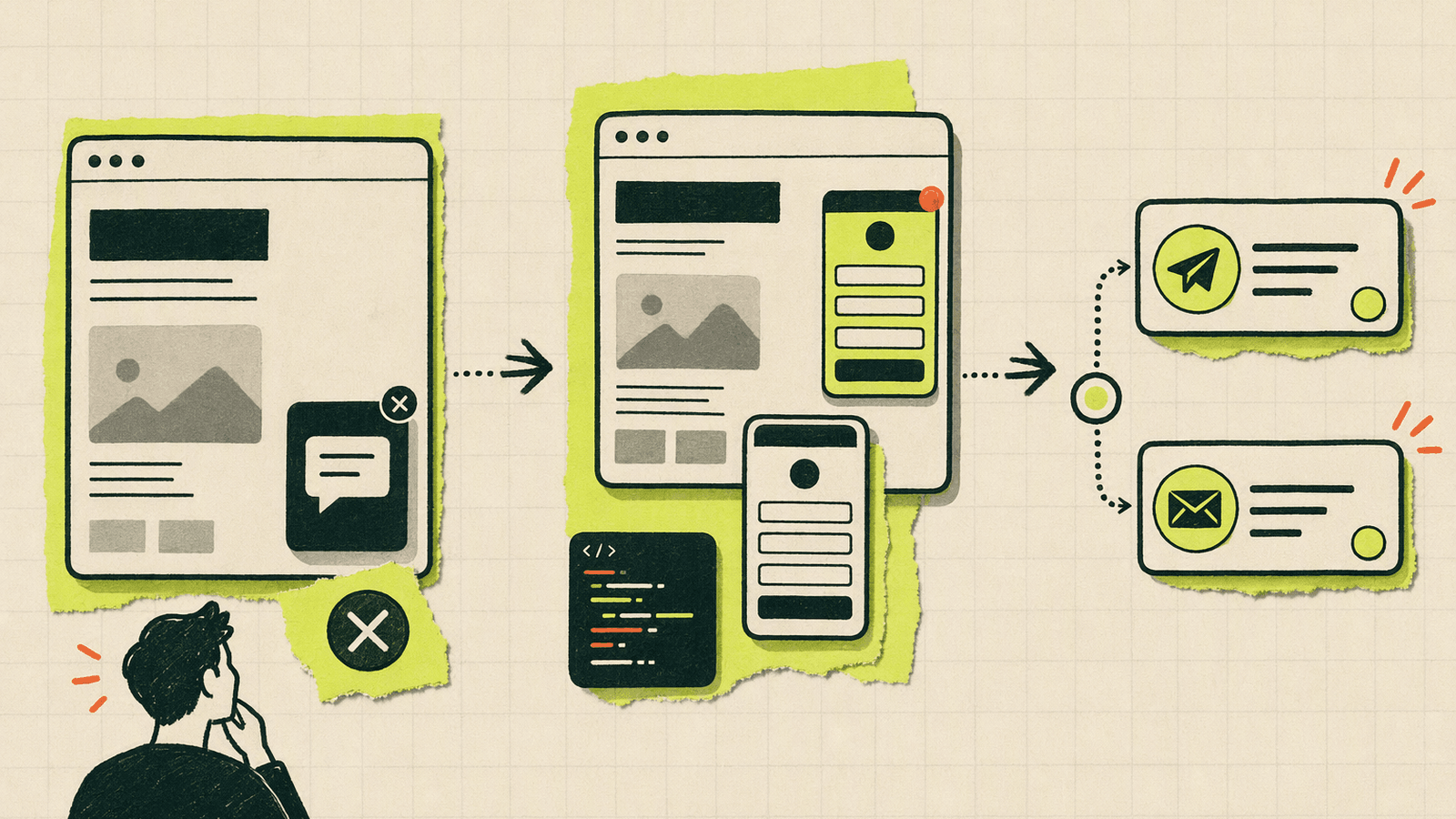
This migration is not about recreating every Intercom workflow. It is about replacing the early-stage job of Intercom Messenger: “let a visitor reach the founder.”
Step 1: decide what you are replacing
List the Intercom pieces you actually use:
- Website chat bubble
- In-app contact entry
- Team inbox
- Automated messages
- Help center
- CRM-style user history
- Support reporting
If the only critical items are website chat, contact capture, and founder replies, Knocket is likely enough. If you rely on advanced workflows, keep Intercom or evaluate a more complete support platform.
Step 2: create your Knocket contact surfaces
- Create a web widget.
- Set color, welcome message, avatar, language, and offline state.
- Publish a Contact Page.
- Add social links, website, email, phone, or blog if useful.
- Connect Telegram and email notifications.
Step 3: replace the website snippet
Remove the old messenger snippet from your site template, then add the Knocket script before </head> or </body>. Use the full code from Knocket installation settings.
For Next.js, load it lazily so it does not block the first render. For Webflow, Framer, Carrd, Shopify, and WordPress, paste it in the site-level custom code area.
Step 4: test the full loop
Do not stop after the widget appears. Test the conversation path:
- Open your site in an incognito window.
- Send a message as a visitor.
- Confirm the notification arrives.
- Reply from the inbox or Telegram/email flow.
- Confirm the visitor sees the reply.
- Repeat from your Contact Page.
This five-minute test is more useful than reading a feature matrix. It proves whether the tool fits your actual founder workflow.
Step 5: update public contact links
Replace old contact links with your Knocket Contact Page:
- Footer contact link
- Documentation contact link
- Social bio
- Email signature
- Launch posts
- Waitlist page
- App settings or help screen
You can also embed the Contact Page inside a mobile app through a WebView. Knocket’s mobile approach is a Mobile Widget via WebView, not a native SDK.
Final recommendations by founder workflow
Choose based on the work you actually do.
Solo founder with a landing page
Use Knocket. Install the widget, publish a Contact Page, and connect Telegram. You need speed, not a support platform.
Indie hacker launching on Product Hunt
Use Knocket as your launch contact layer. Put the Contact Page in your launch materials and keep the website widget visible. During launch day, Telegram replies can help you avoid missing high-intent messages.
Two-person SaaS team in beta
Start with Knocket if you are still handling conversations personally. Revisit Crisp, Tidio, Tawk.to, LiveChat, Zendesk, or Intercom when you can name the workflow you are missing.
Team with paid support volume
Evaluate Zendesk, LiveChat, Intercom, and other support-oriented products. At this stage, reporting, routing, permissions, and integrations may justify a larger platform.
Founder who wants automation first
Look at tools that emphasize automation, then verify what is included in current pricing. Knocket does have an open-source AI Agent project, but Knocket’s core product positioning remains human, lightweight contact for early teams.
Founder who wants the simplest free Intercom alternative
Try Knocket first. It is not an Intercom clone. That is the point. It gives you the contact widget, Contact Page, unified inbox, Telegram, and email path without making you adopt a full customer communication platform.
FAQ
What are the best Intercom alternatives for early-stage founders?
For early founders, the best Intercom alternatives are usually lightweight tools that help you capture and reply to user messages quickly. Knocket is a strong fit when you need a free contact widget, Contact Page, unified inbox, and Telegram or email replies. Crisp, Tidio, Tawk.to, LiveChat, Zendesk, and Intercom may fit better as your support needs grow.
Is Knocket an Intercom replacement?
No. Knocket is not positioned as an Intercom replacement, CRM, helpdesk, or enterprise support suite. It is a lightweight contact tool for indie developers and early teams that want to talk directly with users.
Is Knocket really free?
Yes. Knocket is 100% free forever, with no ads and no seat limits.
What should I check when comparing Intercom pricing?
Check the official Intercom pricing page for current packaging, seats, usage limits, and feature availability. Pricing changes over time, so avoid relying on outdated comparison posts.
Can I use Knocket without a website?
Yes. You can publish a no-code Contact Page and share it in a social bio, email signature, launch post, QR code, or beta invite.
Does Knocket support mobile apps?
Yes. Knocket supports a Mobile Widget through WebView integration for iOS, Android, Flutter, and React Native apps. It should not be described as a native SDK.
Which Intercom alternative should I choose if I already have a support team?
If you already have a support team, evaluate products built for support operations, such as Zendesk, LiveChat, Intercom, or other mature platforms. Knocket is better suited to founder-led conversations before support becomes a department.
If you are still trying to reach your first 100 users, start with the simplest path: try Knocket and give every interested visitor a direct way to reach you.