

TL;DR
SaaS live chat is a real-time contact layer across your website, product, docs, and trial flow. For an early SaaS team, it helps answer buying questions before signup, unblock setup during onboarding, and catch product feedback before users silently churn. Knocket is built for this early stage: a lightweight live chat widget, shareable Contact Page, Unified Inbox, Telegram/email notifications, and 100% free forever pricing with no ads and no seat limits.
Use SaaS live chat when:
- A visitor is comparing your product and needs one specific answer before booking a demo.
- A trial user gets stuck during activation and would otherwise abandon setup.
- A new account wants to report a confusing workflow without leaving the app.
- You want one place to reply to website, app, Contact Page, Telegram, and email conversations.
- You are still founder-led and need direct conversations with your first 100 users.
If you need advanced account scoring, complex automation, or large support operations, use a bigger system later. If you need to start real conversations now, Knocket gives you a lightweight SaaS live chat widget you can install quickly.
What SaaS Live Chat Means Across the Customer Journey
SaaS live chat is not just a bubble on the pricing page. Done well, it becomes a conversation path across the entire customer journey:
| Journey stage | User intent | Best chat role | Example question |
|---|---|---|---|
| Website visitor | Evaluate fit | Remove uncertainty | “Do you support SSO?” |
| Demo request | Qualify use case | Capture context | “Can this work for a 5-person team?” |
| Free trial | Reach activation | Unblock setup | “Where do I add my API key?” |
| New account | Learn workflow | Guide first success | “How do I invite a teammate?” |
| Active user | Resolve issue | Keep momentum | “Why did this sync fail?” |
For early-stage SaaS, analytics can show where users drop. Chat tells you why.
A product-led support widget should be available where intent is already high: pricing, docs, onboarding, integration setup, billing, and in-product workflows that often create questions.
This is where Knocket fits: it is not a CRM, not an AI customer-service system, and not an Intercom replacement. It is a lightweight contact layer for founders who want to stay close to users while the product is still learning from the market.
Why Software Companies Need Real-Time Conversations

Real-time software support matters because SaaS buying and onboarding are time-sensitive. A user who asks a question is often close to taking the next step. If they cannot reach you, they may not file a request; they may just leave.
Three industry signals make this especially important:
- Salesforce’s State of the Connected Customer reports that customer expectations for fast, connected interactions keep rising across digital channels.
- Nielsen Norman Group’s research on response time limits explains why delays affect user attention and perceived flow.
- OpenView’s SaaS benchmarks research shows how product-led companies rely on efficient activation and expansion.
- Bessemer’s State of the Cloud highlights the pressure on SaaS companies to grow efficiently.
For a solo founder, the value is not “deflecting conversations.” It is capturing conversations that would otherwise never happen.
A pricing-page chat might uncover a confusing plan name. An onboarding chat might reveal that your setup guide assumes too much context. An in-app customer messaging thread might show that three users misunderstood the same button label. Those are product signals, not just support moments.
How Knocket Supports SaaS Sales, Onboarding, and Success
Knocket supports SaaS teams through four simple surfaces: Web Widget, Mobile Widget, Contact Page, and Unified Inbox.
1. Web Widget for website and docs
Add the widget to your marketing site, pricing page, docs, changelog, or public roadmap. The install is one asynchronous script from the Knocket installation console, so you do not need npm, a build step, or a heavy customer platform.
<!-- Paste before </head> or </body>. Replace YOUR_ID with your console identifier. -->
<script>
  window.addEventListener("load", function () {
    var s = document.createElement("script");
    s.src = "https://trtc.io/knocket-sdk/sdk.js?identifier=YOUR_ID";
    s.async = true;
    document.body.appendChild(s);
  });
</script>
For most sites, the simpler async script from the console is enough. The example above shows a load-after-render pattern if you want extra control on a performance-sensitive SaaS landing page.
2. Contact Page for no-code contact paths
A Contact Page is useful before your product has a full website or when you need a single link for social profiles, founder bios, investor updates, waitlists, beta invites, or demo requests. Create one in the Knocket Contact Page publisher, add your profile, social links, email, website, and live chat, then share the URL anywhere.
3. Mobile Widget via WebView
If your SaaS has a mobile app, you can embed a Knocket page through WebView. This is not a native SDK; it is a lightweight web-based contact layer inside iOS, Android, React Native, or Flutter.
4. Unified Inbox and notifications
Messages from the website widget, app entry point, Contact Page, Telegram, and email can flow into the same Knocket Inbox. You can reply from the inbox, and live chat messages can also reach you through Telegram notifications. When configured, you can reply from Telegram by quoting/forwarding the live chat message.
Use the Knocket console for inbox and channel setup when you want one lightweight place to manage early customer conversations.
High-Impact Use Cases for Trials, Demos, and Activation
SaaS live chat performs best when it is tied to a specific decision or setup moment.
| Placement | Why it works | Good prompt | Avoid |
|---|---|---|---|
| Pricing page | Visitor is comparing options | “Questions about setup or fit? Ask the founder.” | Aggressive discount popups |
| Demo page | User is high-intent | “Tell us your use case and we’ll reply fast.” | Long qualification forms |
| Signup success page | Motivation is high | “Stuck during setup? Message us here.” | Generic docs handoff |
| Integration setup | Technical blockers appear | “Need help connecting this?” | Hiding contact behind menus |
| Docs page | User is troubleshooting | “If this guide is unclear, ask us.” | Chat covering code examples |
| In-app settings | Billing/account confusion | “Have an account question?” | Asking for the same context twice |
A practical founder workflow:
- Start with chat on pricing, signup, docs, and onboarding.
- Add a Contact Page to your footer, email signature, and founder social profile.
- Connect Telegram/email notifications so you do not miss messages.
- Review conversations weekly and turn repeated questions into product fixes or docs.
- Remove chat prompts from pages that generate low-quality noise.
For a product-led SaaS, the goal is not to make every user chat. The goal is to make the right users comfortable asking at the moment they are stuck.
Chat Message Templates for SaaS Websites and Apps
Good SaaS onboarding messages are short, specific, and honest about availability. Do not pretend a founder is online 24/7 if they are not.
Website and pricing templates
| Scenario | Message template |
|---|---|
| Pricing uncertainty | “Comparing plans or wondering if this fits your use case? Send us your question — we’ll give a direct answer.” |
| Technical buyer | “Need to check an integration, API detail, or security question? Message us here.” |
| Founder-led demo | “Want a quick demo? Tell us your role and what you’re trying to solve.” |
| Early beta | “Trying the beta? We’re collecting direct feedback from early users.” |
Trial conversion chat templates
| Scenario | Message template |
|---|---|
| After signup | “Welcome! If setup gets confusing, send a message here instead of guessing.” |
| Setup blocker | “Stuck connecting something? Share what step you’re on and we’ll help.” |
| Activation milestone | “If you want us to review your setup, message us with your workspace name.” |
| Trial ending soon | “Still evaluating? Tell us what’s missing or unclear.” |
In-app support templates
| Scenario | Message template |
|---|---|
| Workflow confusion | “Not sure what to do next? Tell us what you expected to happen.” |
| Bug report | “Something broken? Send the page, action, and what you saw.” |
| Feature feedback | “Have a feature request? We read early-user feedback directly.” |
| Offline state | “We’re away right now, but leave your email and context. We’ll reply as soon as we’re back.” |
The best template asks for the missing context: use case, account stage, page, expected result, actual result, and urgency.
How to Route Conversations by Intent and Account Stage
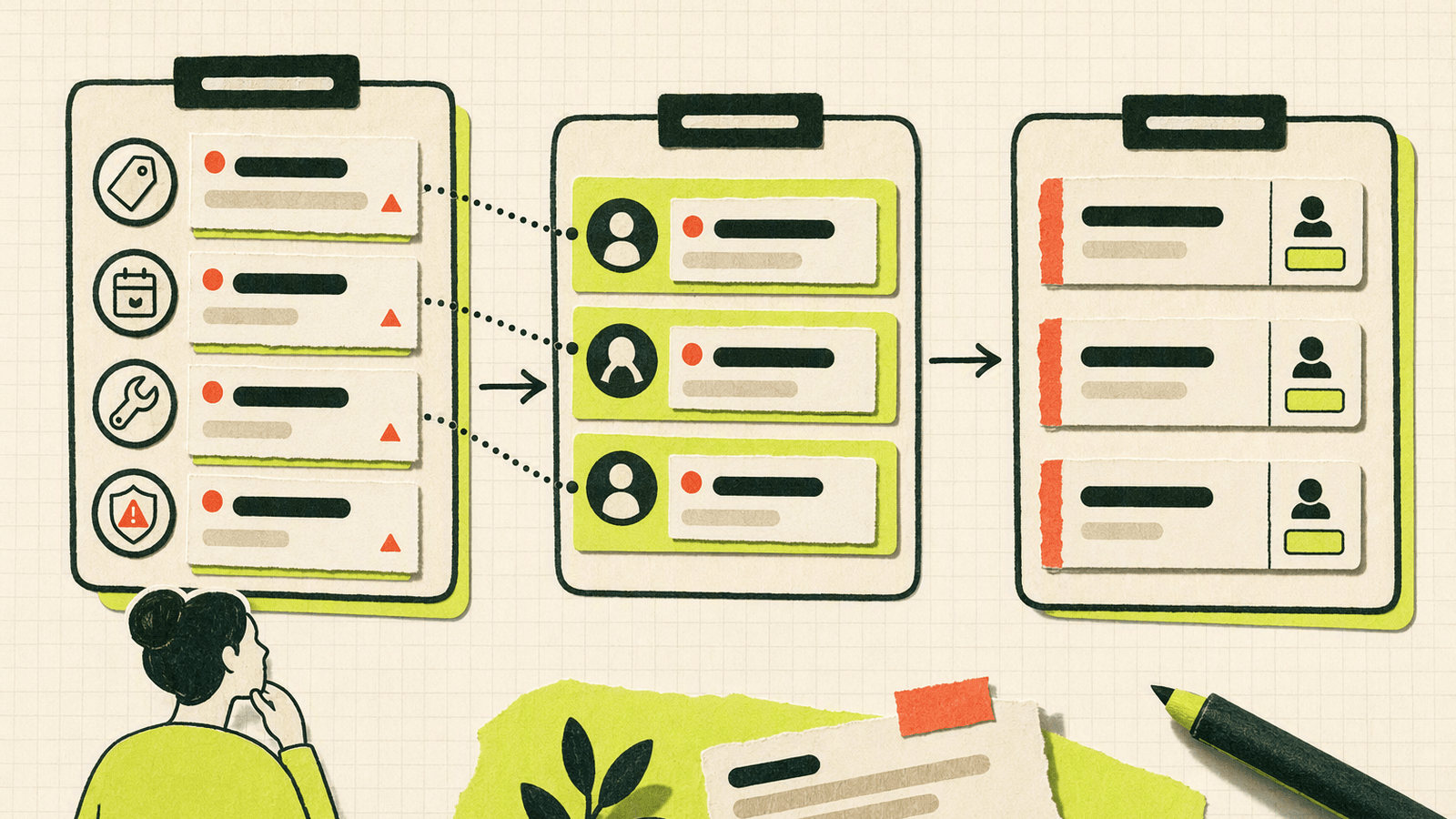
Early SaaS teams do not need complex routing on day one. They need a reliable way to decide what each conversation means and who should answer.
With Knocket, keep the system simple:
- Website, app, Contact Page, Telegram, and email conversations arrive in one place.
- Telegram/email notifications help the founder respond quickly.
- The team uses a shared convention for intent and priority.
- Repeated themes become docs, onboarding changes, or product improvements.
A lightweight routing model:
| Intent | Account stage | Owner | Response style |
|---|---|---|---|
| Pricing fit | Visitor | Founder/sales owner | Direct, concise |
| Integration help | Trial | Technical founder | Step-by-step |
| Setup confusion | New user | Product owner | Guided |
| Bug report | Active user | Engineer | Reproduce-focused |
| Feature request | Any | Founder/product | Discovery |
| Billing/account | Active user | Founder/operator | Private and clear |
For B2B software chat support, account stage matters. A visitor asking “Do you integrate with Slack?” needs a different answer than an active account saying “Our sync stopped.” The first is a conversion question. The second is a trust question.
Knocket will not replace a large operations stack with advanced queues and permissions. That is intentional. For first-100-user teams, the bigger risk is missing the conversation entirely.
Metrics to Track for Conversion, Activation, and Retention
Do not measure SaaS live chat only by volume. Track whether chat helps users move through the journey.
| Metric | Stage | Why it matters |
|---|---|---|
| Chat-to-signup rate | Website | Shows whether chat removes buying friction |
| Pricing questions by theme | Website | Reveals unclear positioning |
| Demo requests from chat | Sales | Captures high-intent leads |
| First response time | All | Affects trust |
| Setup-blocker frequency | Trial | Shows onboarding friction |
| Activation after chat | Trial | Measures support impact |
| Repeated bug themes | Active users | Identifies quality issues |
| Churn-risk conversations | Retention | Reveals frustration before cancellation |
For trial conversion chat, the most useful metric is often qualitative: what exact doubt stopped the user? If five trial users ask how to invite teammates, the fix may be a clearer onboarding step, not faster replies.
For customer success chat workflows, review transcripts weekly and group them into:
- “Missing information” — docs or page copy failed.
- “Missing feature” — product gap.
- “Broken flow” — bug or UX issue.
- “Wrong-fit lead” — positioning mismatch.
- “High-intent buyer” — sales follow-up needed.
That review loop turns support conversations into product learning.
Best Practices for Scaling Support Without Losing Quality
Scaling support for early SaaS means making the founder’s time count.
1. Put chat where intent is high
Start with pricing, demo, docs, signup, onboarding, and app settings. Avoid generic popups on every page. A product-led support widget should feel like a door, not an interruption.
2. Use honest availability
If you are not always online, say so. Offline messages are better than fake immediacy. Knocket can still collect the user’s message, and notifications can reach you through Telegram or email.
3. Write replies that create reusable assets
When you answer a setup question twice, turn the second answer into a doc snippet. When you answer it five times, fix the onboarding flow.
4. Keep sensitive issues in the right channel
If a conversation involves billing, private account details, or security-sensitive information, move carefully. Ask for the minimum context needed and avoid requesting secrets in chat.
5. Use AI carefully, if at all
Some teams use AI for repetitive answers, but early SaaS conversations often require judgment. Knocket’s core product is built around real human communication. If you want to experiment, Knocket also has an open-source AI Agent project that can monitor and reply, but do not let AI invent pricing, policies, or technical instructions.
6. Keep the tool lightweight until the pain is real
Early teams often overbuild process too soon. Start with the Knocket web widget setup, a shareable Knocket Contact Page, and notifications. Add complexity only when conversation volume proves you need it.
Knocket is 100% free forever, with no ads and no seat limits, which makes it a practical default for founders who want to talk to users before choosing a larger system.
SaaS Chat Strategy Checklist
Use this checklist before adding SaaS live chat to your site or app.
Placement
- Add chat to pricing, demo, signup, docs, and onboarding pages.
- Add an in-app entry point for setup and account questions.
- Publish a Contact Page for founder profiles, social bios, and beta invites.
- Avoid chat prompts that cover important UI or code samples.
Messaging
- Use specific prompts tied to the page.
- State response expectations honestly.
- Ask for use case, role, page, expected result, and actual result.
- Keep welcome messages short.
Workflow
- Connect Telegram and email notifications.
- Decide who handles sales, setup, bugs, billing, and feedback.
- Review repeated questions weekly.
- Convert repeated answers into docs or product improvements.
Metrics
- Track chat-to-signup and chat-to-demo conversions.
- Track first response time.
- Track setup blockers by theme.
- Track activation after support conversations.
- Track churn-risk messages and common objections.
Tooling
- Use Knocket’s lightweight contact tool if you want a fast, free way to start.
- Use the Knocket installation page for the website widget.
- Use the Knocket Contact Page console for no-code sharing.
- Use the Knocket inbox console to manage incoming conversations.
FAQ
What is SaaS live chat?
SaaS live chat is a real-time messaging channel for software websites and apps. It helps prospects ask buying questions, trial users get onboarding help, and active users report issues without leaving the product experience.
Where should a SaaS company place live chat first?
Start with high-intent pages: pricing, demo request, signup success, onboarding, docs, integration setup, and in-app account settings. Avoid low-context popups across every page until you know where users actually need help.
Is live chat useful for B2B software chat support?
Yes, especially when the product has setup steps, integrations, permissions, or technical buying questions. For early B2B SaaS, live chat can capture objections and blockers that users may never submit through a long form.
Can Knocket be used for in-app customer messaging?
Yes. Knocket supports a Mobile Widget through WebView, so iOS, Android, React Native, and Flutter apps can embed a Knocket contact experience. It is a WebView-based approach, not a native SDK.
How is Knocket different from a large customer platform?
Knocket is intentionally lighter. It is for indie developers and early SaaS teams that need a live chat widget, Contact Page, Unified Inbox, and Telegram/email notifications. It is not a CRM, not a large customer-service suite, and not positioned as an Intercom replacement.
Does Knocket support SaaS onboarding messages?
Yes. You can configure welcome and offline messaging for your widget or Contact Page, then use page-specific copy to guide trial users during setup. Keep messages specific, short, and honest about response time.
Is Knocket really free?
Yes. Knocket is 100% free forever, with no ads and no seat limits. That makes it useful for founders who are still validating demand and talking directly with early users.
What metrics should I track for SaaS live chat?
Track chat-to-signup rate, demo requests from chat, first response time, setup-blocker themes, activation after chat, repeated bug themes, and churn-risk conversations. The qualitative patterns are often more valuable than raw message volume.
If you want to add SaaS live chat without a heavy platform, try Knocket at https://knocket.trtc.io/.